We use cookies to make your experience better. Learn more about how and why.

Soft Credits: Give Credit to Whoever Made the Gift Happen

Soft credits

Record who influenced a donation without double-counting the money.
A gift arrives from a donor advised fund, or an employer's matching program, and the person who actually made it happen is nowhere on the transaction. Soft credits let you acknowledge them properly while your revenue totals stay accurate.
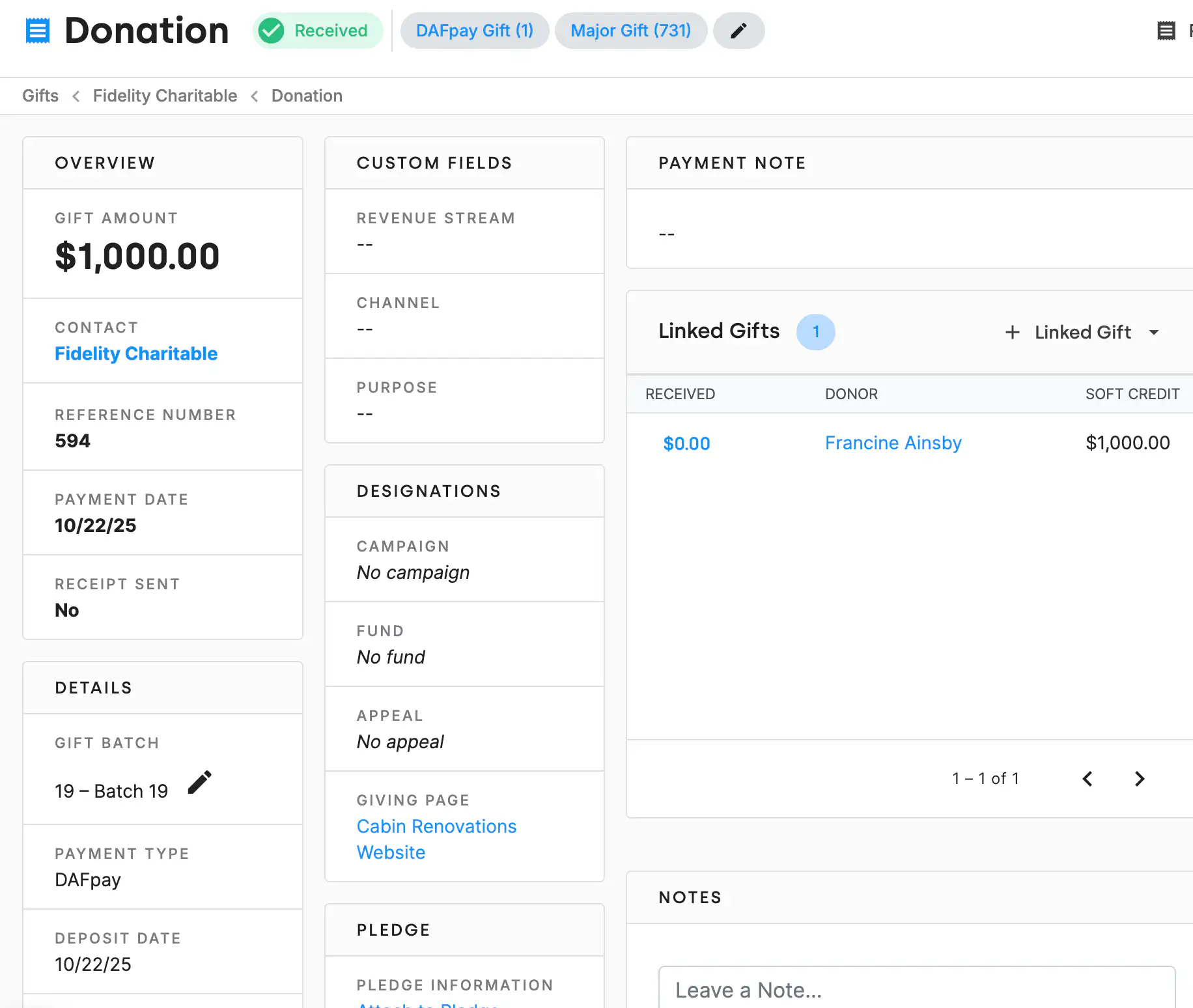
The Gift Details section of a DonorDock gift form, with the Soft-Credit Amount field sitting directly below Fee Amount, alongside Received Amount, Non-Deductible Amount, payment type, and check details.
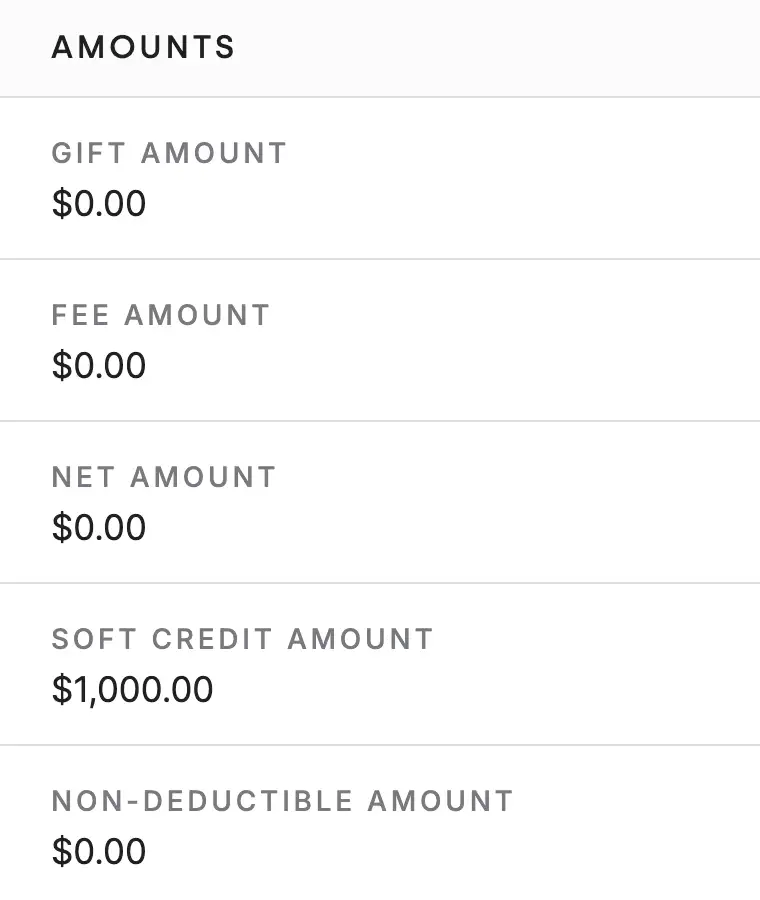
The Amounts panel on a DonorDock gift record, listing gift amount, fee amount, net amount, soft credit amount, and non-deductible amount as separate figures.

The problem soft credits solve

Some gifts arrive from an entity when the relationship belongs to a person. The check comes from a community foundation; the donor is the family who directed it. The wire comes from a corporate matching program; the donor is the employee who requested it.

If you record only the entity, your reports are correct and your stewardship is wrong — you thank a foundation and never thank the family. If you record the person as the donor, your stewardship is right and your revenue is double-counted. A soft credit is how you get both.

The three cases you will use it for

  • Donor advised funds — the fund sends the money, the donor who recommended it gets the credit. See DAFpay.
  • Matching gifts — the employer pays, the employee who triggered the match gets the credit. See matching gifts.
  • In-kind donations — record the estimated value of donated goods as a soft credit rather than as cash you never received. See in-kind gifts.

Linked gifts, tagged automatically

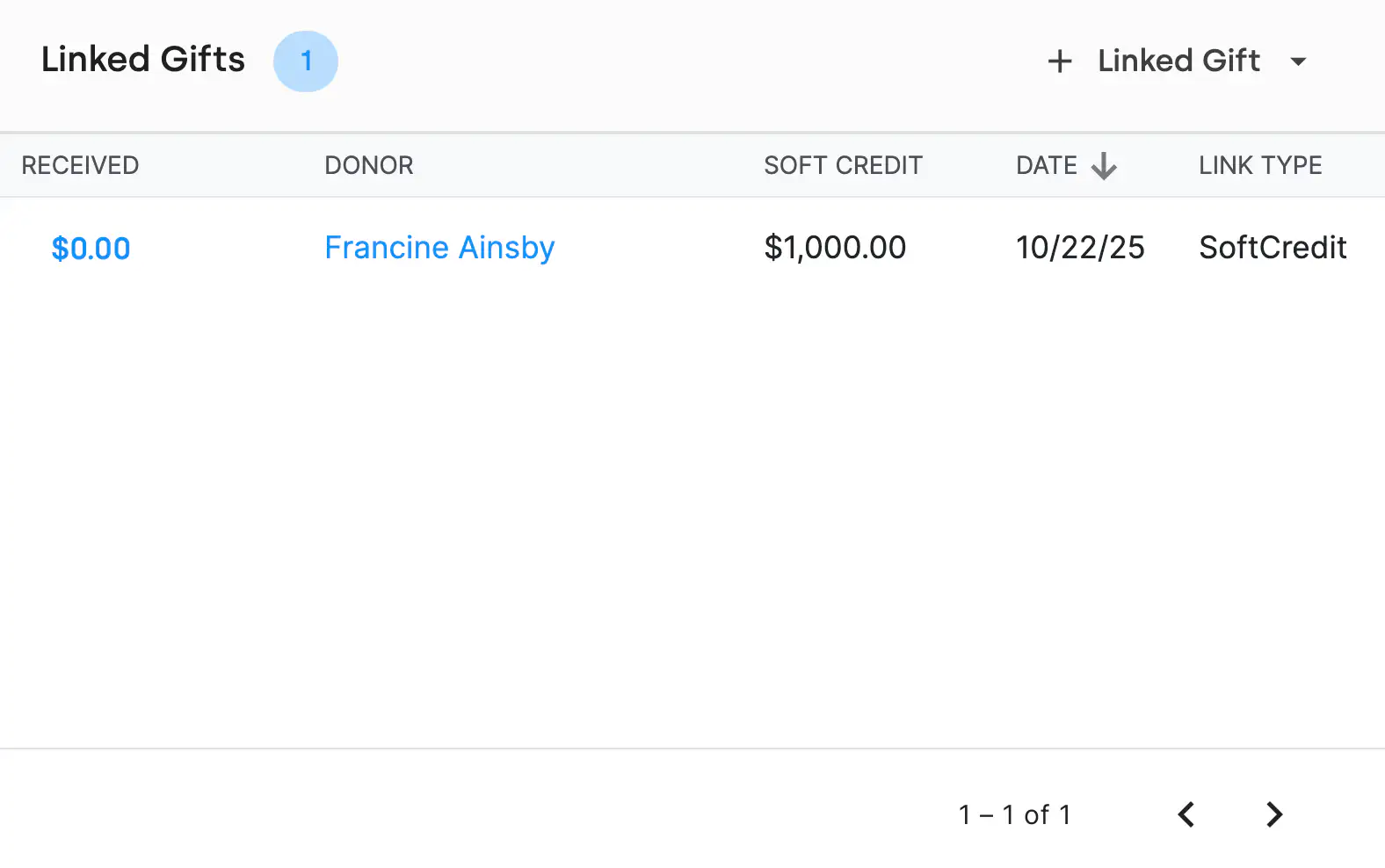
When a soft credit is created as a gift linked under another gift, DonorDock tags it on its own — Linked Soft Credit for the general case, Linked Matching for a match, and DAFpay Soft Credit for one created through a DAFpay donation on a giving page. You do not have to remember to tag anything, and the tags make the whole set findable later. See gift tags.

Why this matters at renewal time

A donor whose giving all arrives through a DAF can look, in a naive database, like someone who has never given. That is the person who gets dropped from the major gift list by accident. Soft credits are what keep their real contribution visible on their record, which is the whole point of tracking any of this. See gift reports.
A donor's lifetime soft credits totalling $10,700 shown on their contact record beside their outstanding pledges.
The Amounts panel on a DonorDock gift record, listing gift amount, fee amount, net amount, soft credit amount, and non-deductible amount as separate figures.

Frequently Asked Questions

What is a soft credit?
A way to acknowledge an individual or entity that helped bring a donation about without directly making it — recorded separately from the hard revenue on the gift.

Where do I enter a soft credit in DonorDock?
On the gift record, in the Soft Credit amount field, directly below the Fee Amount field.

When should I use a soft credit?
Most commonly for donor advised fund gifts, matching donations, and the estimated value of in-kind contributions.

Does a soft credit inflate my revenue totals?
No. Soft credit amounts are tracked separately from the gift's hard revenue, so totals stay accurate.

Are soft credits tagged automatically?
Yes. Linked soft credits receive automatic gift tags, including Linked Soft Credit, Linked Matching, and DAFpay Soft Credit.

Can I report on soft credits?
Yes. Gift reports can be filtered for soft credits, giving summary reports can include them, and connected gifts show the link between a gift and its soft credit.

A donor's lifetime soft credits totalling $10,700 shown on their contact record beside their outstanding pledges.
The Amounts panel on a DonorDock gift record, listing gift amount, fee amount, net amount, soft credit amount, and non-deductible amount as separate figures.
A donor's lifetime soft credits totalling $10,700 shown on their contact record beside their outstanding pledges.
User ratingUser ratingUser ratingUser ratingUser rating
G2 rating badge in yellow
Trusted by 7,600+ users

You'll believe it when you see it.

Schedule a demo and see why 7,200+ people trust DonorDock for their CRM.
Integration iconIntegration iconIntegration iconIntegration iconIntegration iconIntegration iconIntegration iconIntegration icon

Get more value from your tools

Connect your tools, connect your teams. With over 100 apps already available in our directory, your team’s favorite tools are just a click away.

Start building meaningful donor relationships today.

Your fundraising in one place.
Donor Dock-Shapes1-06