
Every nonprofit CRM needs one named owner: a person on your development team with explicit hours, a training budget, and a standing maintenance rhythm. You almost certainly already have an informal one. This guide shows you how to make the role official without hiring anyone.
Ask "who should own your nonprofit CRM?" in most development offices and you will get a knowing look, because everyone can name the person who already does. They were never assigned the database. They just showed a little interest once, and now they fix the mail merge, untangle the duplicates, and rebuild the year-end report, all off the side of their desk.
That person is carrying your nonprofit data management on goodwill. This guide walks through five steps to turn their invisible job into an official one, plus the criteria for the day when the answer really is a new system.
Who should manage a nonprofit CRM?
One named person on your development team, with the role written into their job description and a few protected hours each week. Not a committee, and not "everyone," because a system owned by everyone is owned by no one. The stakes of leaving it informal are well documented: in Experian's data quality benchmark research from 2015, organizations estimated that 32 percent of their data was inaccurate, 91 percent said inaccurate data hurt revenue, and, tellingly, very few had appointed anyone to be responsible for data quality.
Staffing the role matters more as teams grow. NTEN's 2017 nonprofit technology staffing research found that organizations rating themselves as struggling with technology averaged 2.2 staff with tech responsibility, versus 8.3 at organizations rating themselves as leading, and that the leanest teams were the most likely to have no one officially responsible at all. You do not need eight people. You need one, on purpose.
Step 1: Name the owner you already have
Skip the org-chart debate and follow the behavior. Who do teammates instinctively ask when a report looks wrong? Who actually opened the settings menu? Who gets cc'd on every "the export looks weird" email? That person has already been elected by your team; the org chart just has not caught up.
Two quick checks before you formalize it. First, willingness: some accidental admins want the mandate, others want to hand it off, so ask. Second, proximity to fundraising: the best CRM owners sit close to the work the data serves. A development associate who lives in gift entry usually beats a well-meaning volunteer from the finance committee.
Step 2: Write it into the job description
An unofficial role evaporates under deadline pressure, and it walks out the door unthanked. Make it explicit with a carve-out of roughly 5 to 10 percent of their time, which is two to four hours in a normal week. Here is sample language you can adapt:
System Owner, Donor Database (approximately 10% of role). Serves as the primary owner of the donor CRM: maintains data quality standards, runs the weekly data review and monthly systems review, triages and resolves system issues, coordinates with the vendor on support needs, onboards teammates to agreed workflows, and recommends annual improvements to fundraising leadership.
Two sentences of context for your leadership team. This is not new work. The organization is already paying for these hours in scattered, interrupted, invisible form. Writing them down just makes the work schedulable, reviewable, and worth doing well. It also protects the institution: our piece on development director turnover as a system problem shows what happens when institutional knowledge lives in one unacknowledged brain. And revisit the carve-out at annual review time. As your donor base grows and your campaign calendar fills in, the hours should grow with it, and the job description should say so.
Step 3: Fund their learning
A mandate without skills is just pressure. The same 2017 NTEN staffing research found that only 56 percent of nonprofits budget for technology-related professional development, and that this budget correlates significantly with how well technology gets adopted and how effective it is. Training is the highest-payoff line item in your entire tech budget, and usually the least expensive.
Budget three things: a few focused hours a month to learn (on the clock, not after hours), one course or conference a year, and permission to book short vendor-support sessions instead of muddling through. If your platform offers structured training, use it first; DonorDock Academy exists precisely so a system owner can build skills without a consultant engagement.
Step 4: Build the nonprofit data management rhythm
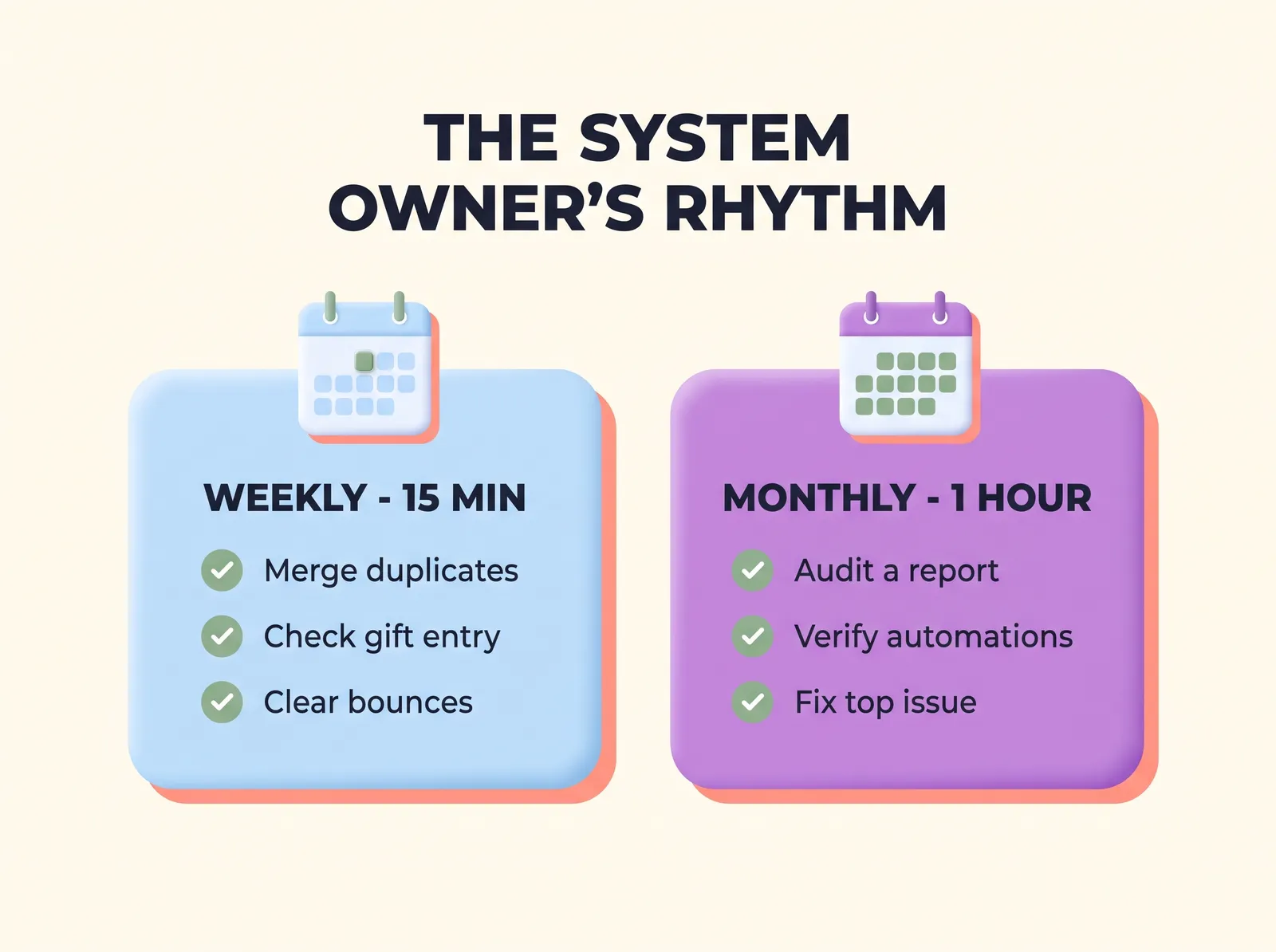
Ownership shows up as a calendar block. Two recurring blocks cover almost everything:
- Weekly data review, 15 to 20 minutes. Scan for duplicates and merge them, spot-check the week's gift entry, clear bounced emails, and triage anything teammates flagged. Small and boring, which is the point.
- Monthly systems review, about an hour. Audit one report for accuracy, check that automations actually ran, review the issue log and fix or escalate the top item, and note one thing to improve next month.
The sector's habits show how rare this rhythm is: 67 percent use a CRM, yet only 38 percent regularly remove unengaged email subscribers, basic hygiene that protects both sender reputation and budget. And the cost of neglect keeps rising: as Nonprofit Quarterly reported from Fundraising Effectiveness Project data, donor retention fell 2.6 percent in 2024 while donor counts dropped 4.5 percent. When every donor relationship counts this much, a database that quietly decays is a fundraising problem, not an IT problem. For the deeper cleanup playbook, see our guide to donor data hygiene; the rhythm above is how you keep its results from eroding.
Step 5: Fix the five small things before you shop for anything
Give your new owner this assignment for their first quarter: collect the five friction points the team complains about most, and try to solve each one inside the current platform. The usual suspects respond quickly to an afternoon of focused attention:
- The mailing list that gets rebuilt by hand becomes a saved segment.
- Duplicate records get merged and an intake convention stops new ones. DonorDock's merge contacts tool makes this a weekly two-minute habit instead of a yearly project.
- The report nobody trusts gets rebuilt once, correctly, with a custom report everyone uses from then on.
- The messy import backlog gets cleared with a proper bulk import and a template for next time.
- One automation you already pay for (receipts, thank-yous, task reminders) finally gets switched on.
Run a proper tool audit alongside this exercise. Most teams discover they are using a fraction of what they own, which reframes the "we need new software" conversation entirely.
What do the first 90 days look like?
A straightforward arc keeps the new role from stalling out:
- Days 1 to 30: See clearly. Start the weekly review, open a shared issue log where teammates can drop anything system-related, and write down the top five frictions. No fixing yet, just inventory.
- Days 31 to 60: Fix small. Work the five-fix list from Step 5, document each fix in a shared how-to doc as you go, and hold the first monthly systems review with your Development Director in the room.
- Days 61 to 90: Make it durable. Cross-train one teammate on the weekly review so the rhythm survives vacations, finalize the job description language, and bring one recommendation to leadership: the single improvement that would save the team the most hours next quarter.
The documentation habit matters more than it looks. Every fix written down is a fix the organization keeps even if your owner gets promoted, goes on leave, or moves on. Ownership should live in a role and a shared doc, never only in a person's memory.
When should you replace the CRM instead?
Sometimes the five small fixes reveal a real wall. Replacement is the right call when core capabilities are missing rather than unconfigured, when the vendor has stopped developing the platform, when pricing punishes your growth, or when support has gone quiet. The distinction that matters is an owned, well-tended system that still cannot do the job is a tool problem; everything else is an ownership problem in disguise.
If you do switch, your system owner becomes your secret weapon: they know the data, the workflows, and the wish list, which is exactly what makes migrations succeed. Work through our nonprofit CRM migration checklist, and watch our video on finding a CRM that works with you, not against you.
Make it official this month
Here is the whole playbook in one paragraph. Name the owner you already have. Put two to four weekly hours in their job description. Fund their learning. Stand up a weekly data review and a monthly systems review. Point them at the five most annoying frictions first, and only then ask whether the platform itself is the constraint.
None of this requires a hire, a consultant, or a budget line bigger than a conference registration. It requires deciding, out loud, that your donor data deserves an owner. Considering that 80 percent of nonprofits have no formal employee retention strategy, formalizing this role is also a quiet retention move for the teammate holding it all together. And if you want a nonprofit CRM designed so that owning it takes hours a month instead of a second job, that is exactly what DonorDock was built to be.