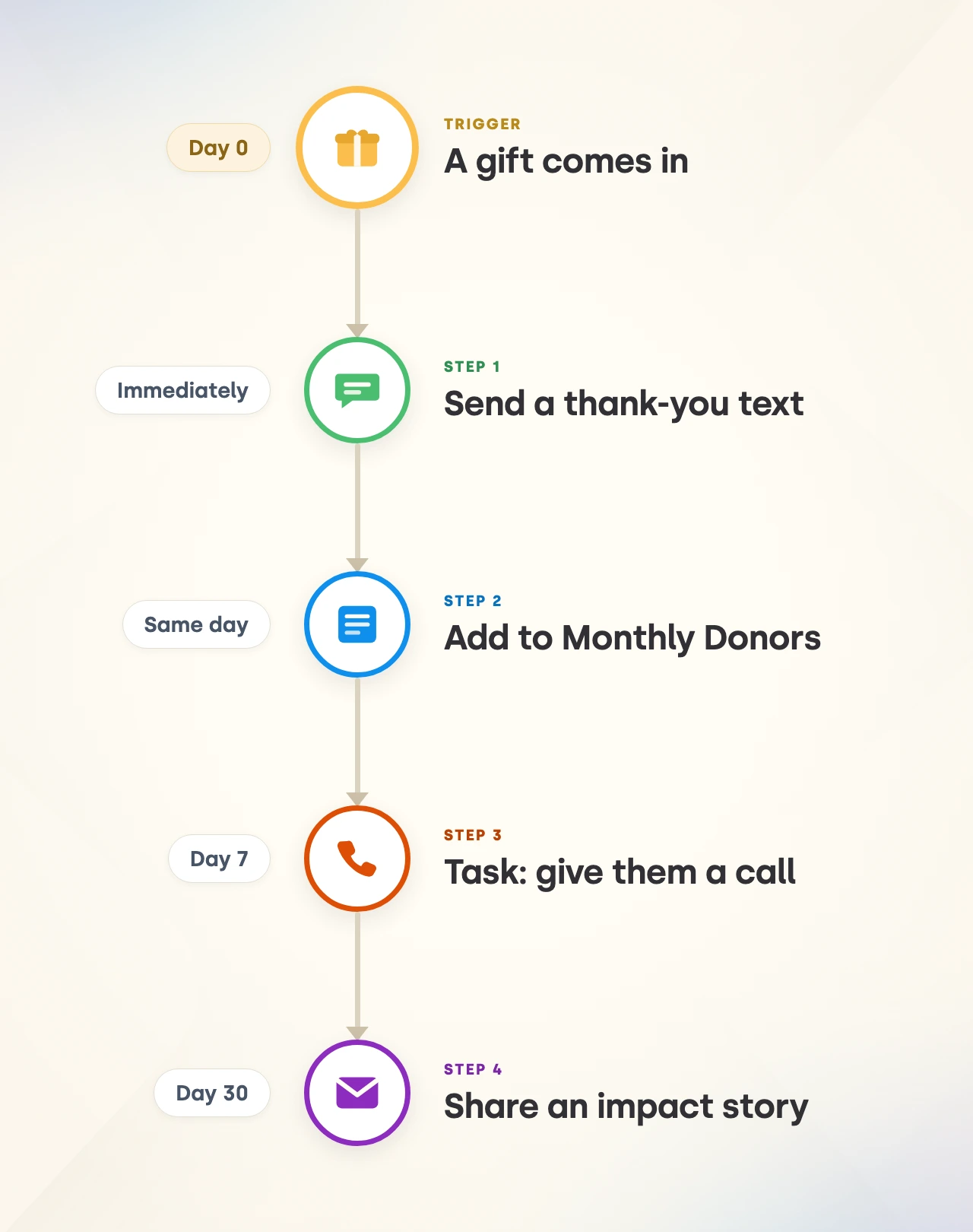
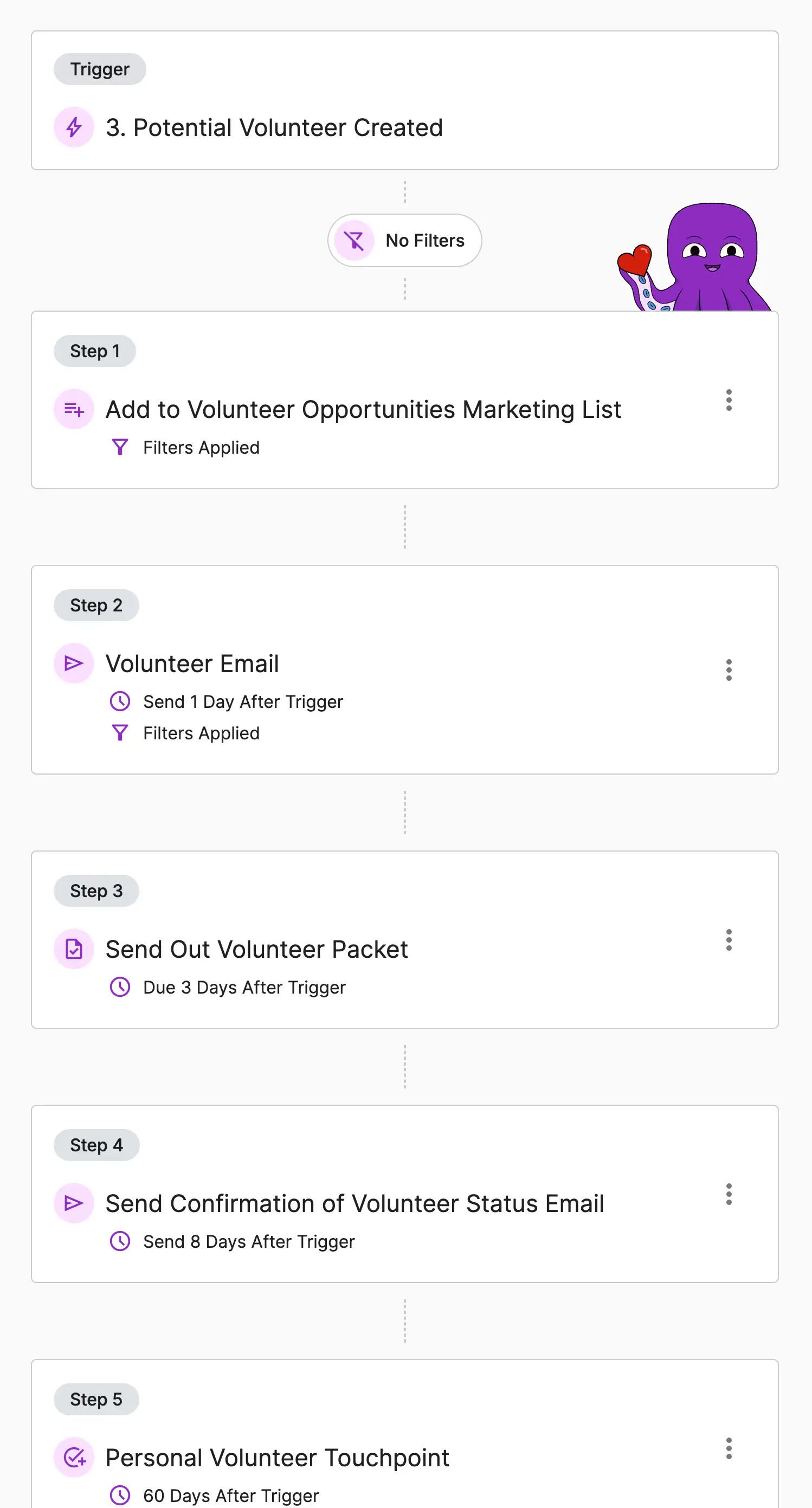
You already know the follow-up that should happen after a gift. A thank you the same day. A task for the person who owns that relationship. A badge so you can find that donor again in six months. Knowing was never the problem. Doing it lands on top of everything else you carry.
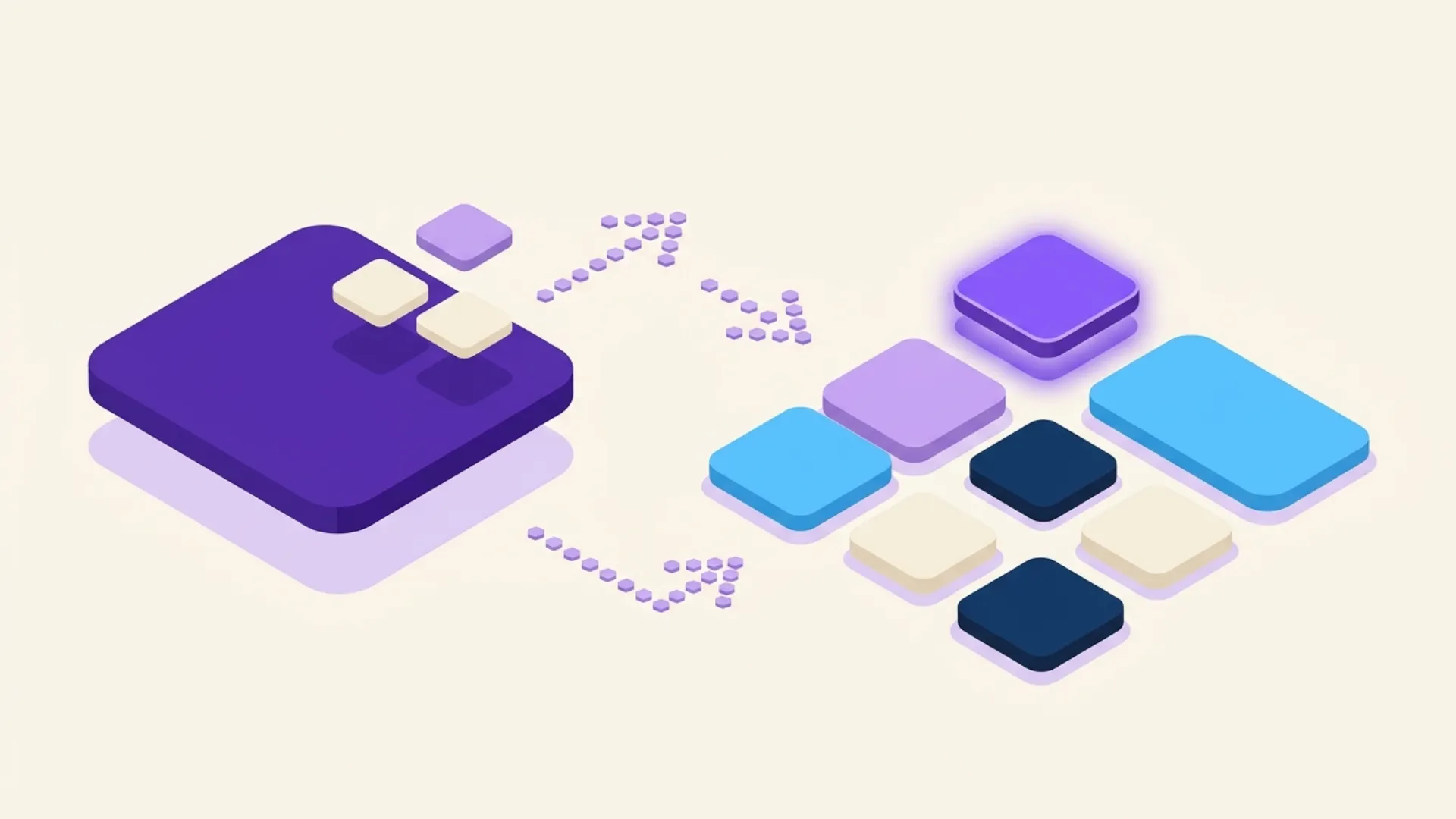
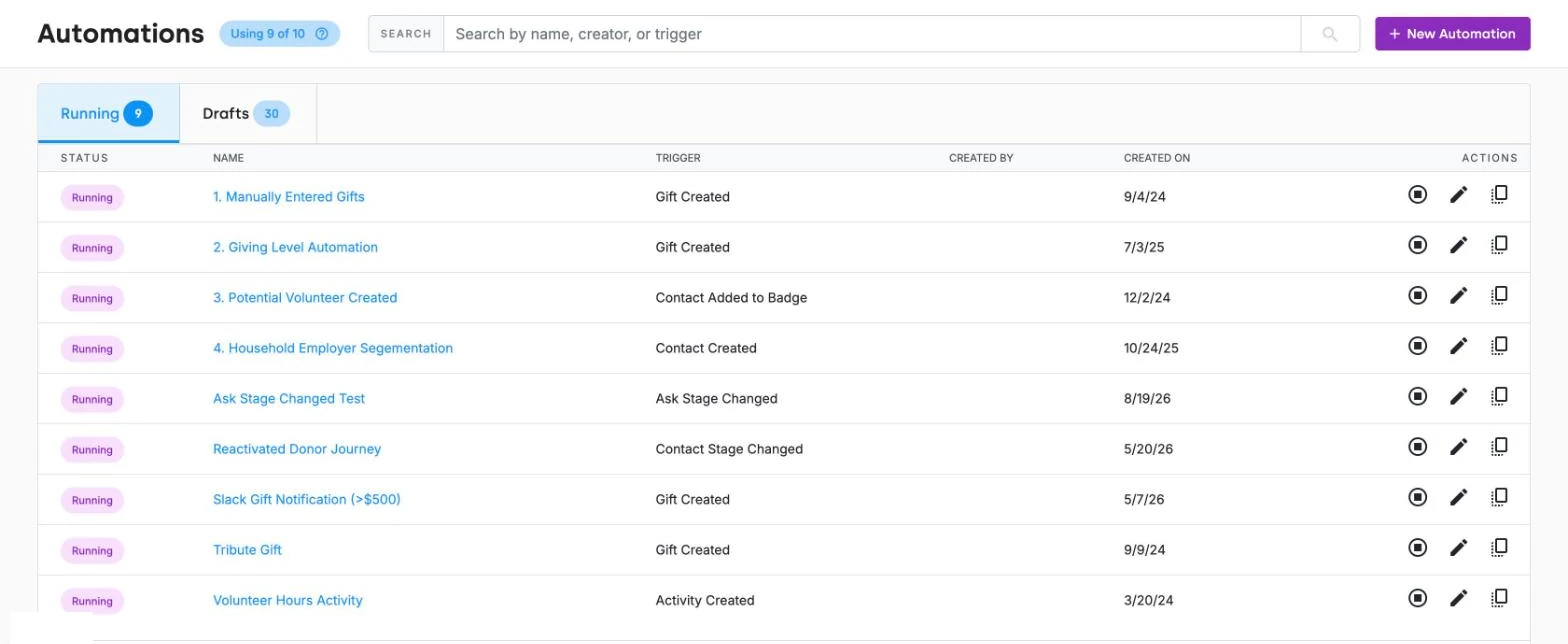
An Automation is a workflow you set up once and DonorDock runs from then on. You choose the event that starts it, add the steps that should follow, and it works in the background for every contact who qualifies. You will find Automations in the navigation bar, with separate tabs for the ones currently running and the ones still in draft.
Every Automation begins with a trigger, the moment in DonorDock that sets it off:
Filters sit on top of any trigger so a workflow only runs when it should. They read Contact, Gift, and Activity records using a property, an equation, and a value, and you can stack up to 20 filter lines in a group with And or Or logic. A first-time gift over $1,000 can follow a very different path than a $25 recurring gift.
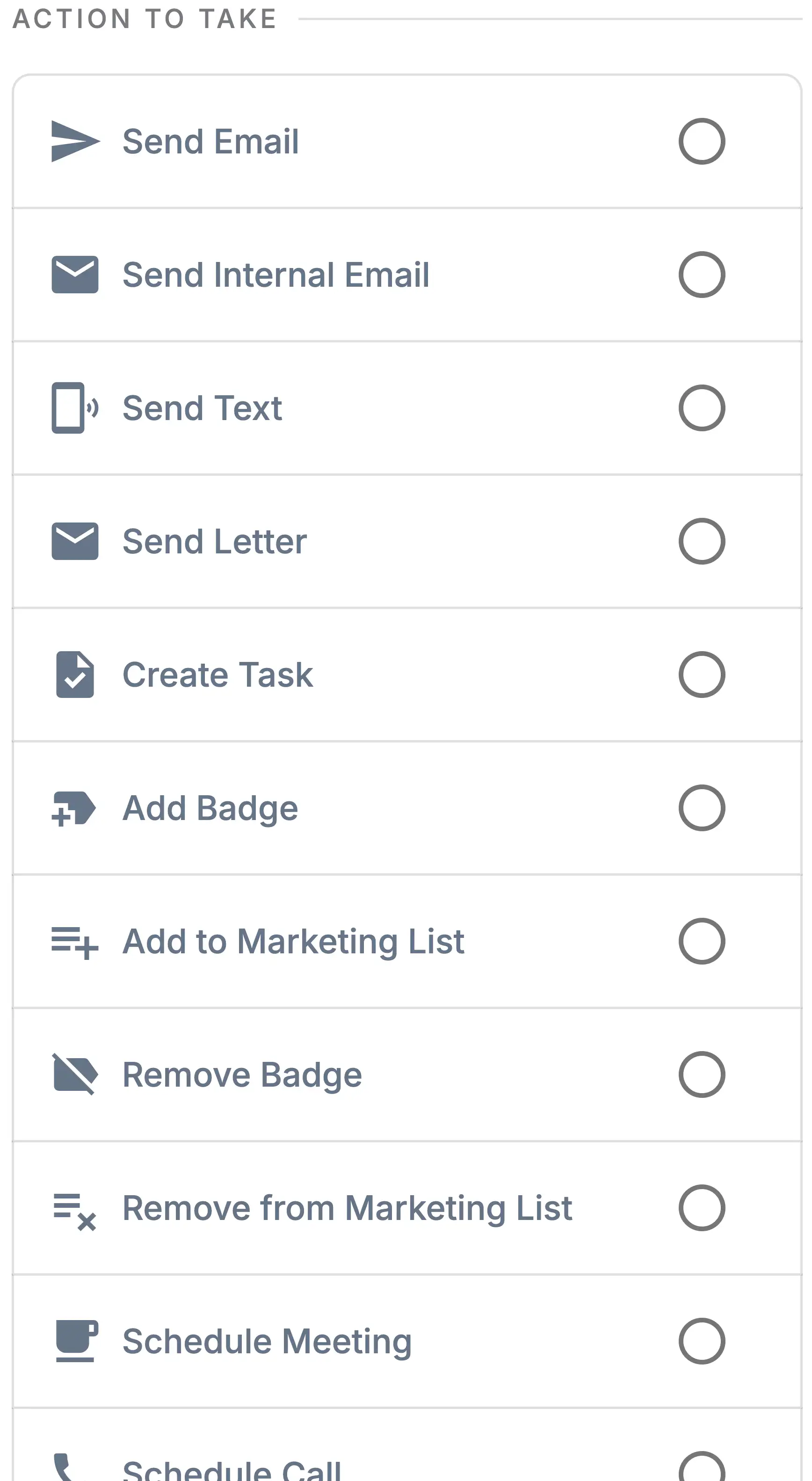
Each Automation holds up to 20 steps, and every step is something DonorDock does for you:
Steps can be dated up to 365 days out, and email and text steps can be set to send at a specific time of day. That means a year of planned cultivation is one Automation you build once, instead of a standing reminder someone has to remember to act on.
When an Automation creates a task, schedules a call, or adds a nudge, it appears on the Action Board of whoever owns that contact. The work does not wait in a separate queue to be discovered. Internal emails and webhooks handle the rest, letting you alert a colleague the moment a major gift lands or pass data to another system without anyone copying it over.
If you would rather start from a donor lifecycle sequence than build from a blank page, Stewardship Journeys are prebuilt Automations for exactly that, and Otto adds Smart Nudges based on what your data shows in the moment.
What can DonorDock automate?
Emails, text messages, letters, internal notifications, tasks, calls, meetings, badges, marketing list membership, Action Board nudges, and webhook calls to other systems. Any of those can run from any of the ten triggers.
How many steps can one Automation have?
Up to 20 steps after the trigger. Each step can be dated as far as 365 days into the future.
How many Automations can I run at once?
Your plan includes 10 running Automations, and you can add more in blocks of five. There is no limit on how many you keep in draft while you build and test them.
What is the difference between an Automation and a Stewardship Journey?
Journeys are Automations built for the donor lifecycle, with the sequence already mapped for you. Automations are the underlying engine, so you can use them for anything from a thank-you series to internal alerts to keeping your badges and lists tidy.
Do I need a developer to set this up?
No. Triggers, filters, and steps are all chosen from dropdowns. The Call Webhook step is there if your team wants to connect another system, but nothing else requires technical help.
Can an Automation run on something other than a gift?
Yes. Contact changes, stage changes, badge and marketing list membership, newly created activities, and an Ask moving to a new stage can all start a workflow. That is how teams automate volunteer follow-up, membership renewals, major gift cultivation, and data hygiene alongside fundraising.


.webp)