We use cookies to make your experience better. Learn more about how and why.

Gift Reports: Every Donation, Sliced the Way You Need It

Gift reports

Thirteen standard gift reports including LYBNT and SYBNT, plus the filters to build any view of your giving data.
A gift report returns one row per donation, which is what you want when the question is about money rather than people. DonorDock ships thirteen of them, and the lapsed-giving reports every development office asks for are already in the list.
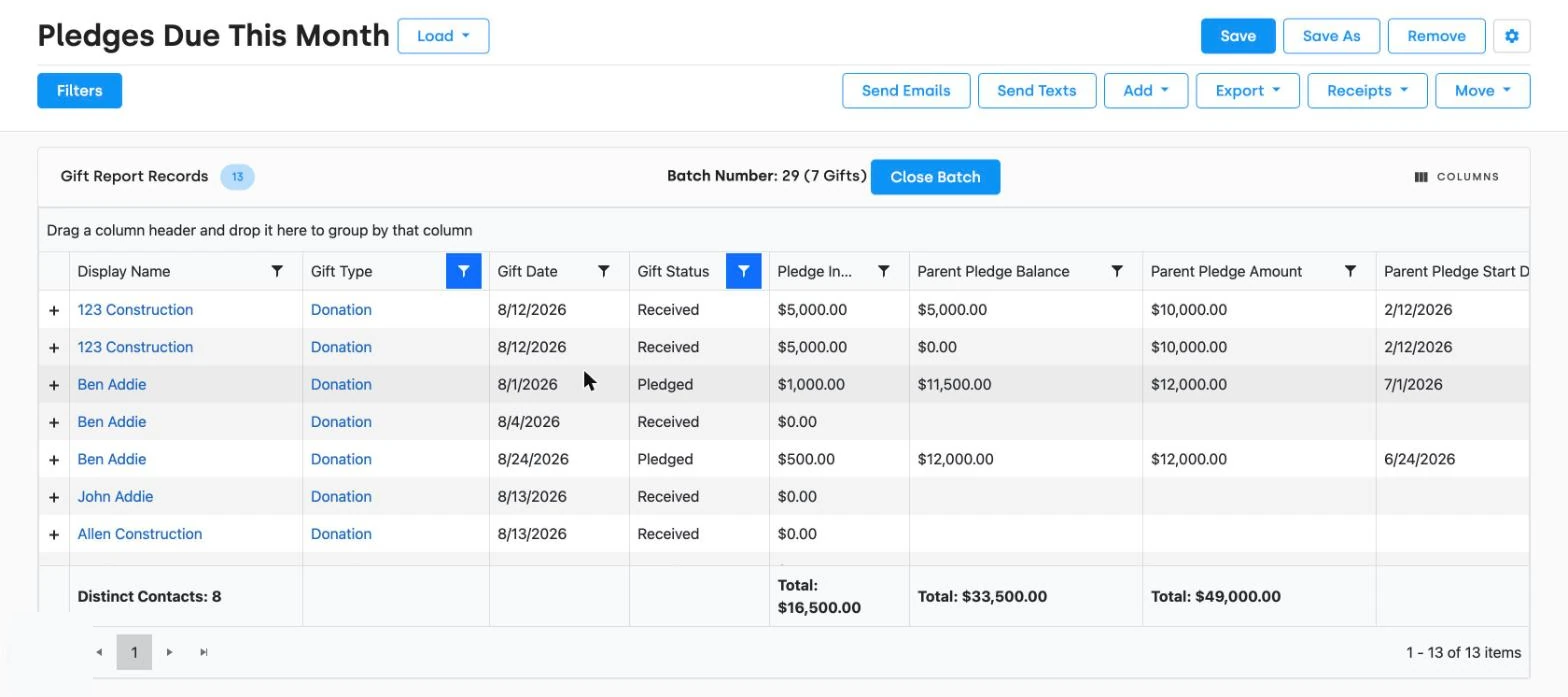
A gift report open in DonorDock showing 13 records with columns for display name, gift type, gift date, gift status, and pledge balances, a totals row summing $16,500 across 8 distinct contacts, and a toolbar offering Send Emails, Send Texts, Add, Export, Receipts, and Move.
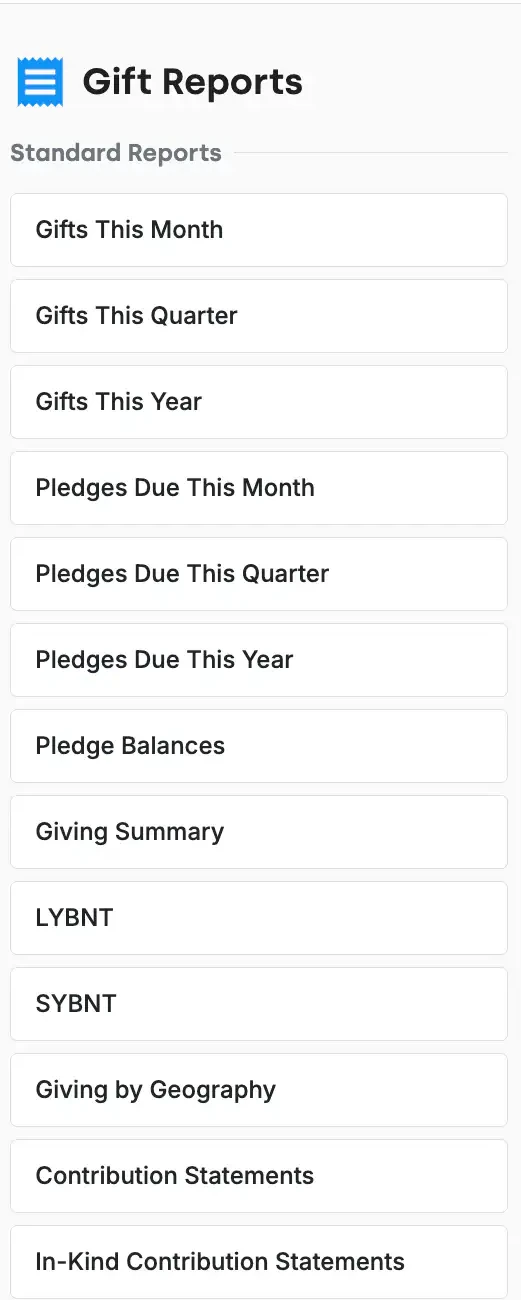
The Gift Reports column in DonorDock listing all thirteen standard gift reports, including LYBNT, SYBNT, Pledge Balances, Giving Summary, Giving by Geography, and Contribution Statements.

The thirteen that come standard

Gifts This Month, Gifts This Quarter, Gifts This Year, Pledges Due This Month, Pledges Due This Quarter, Pledges Due This Year, Pledge Balances, Giving Summary, LYBNT, SYBNT, Giving by Geography, Contribution Statements, and In-Kind Contribution Statements.

One row per gift, and why that matters

A donor who gave four times appears four times in a gift report. That is correct behavior when you are totaling revenue, and the wrong behavior when you are counting donors — which is what contact reports are for. Knowing which of the two you are looking at is the difference between a board report that adds up and one that does not.

Filter down to the gift you actually mean

Every gift report filters and sorts after it runs, on date, amount, campaign, appeal, fund, giving location, payment type, and more. A few filters worth knowing about:

  • In-kind gifts — pull the non-cash contributions out on their own for your auditor
  • Soft credits — see the gifts a donor influenced rather than wrote the check for
  • Gift tags — filter to major gifts, matching gifts, silent auction, or any tag you use
  • Connected gifts — view the relationship between a gift and its linked soft credit or match

A report is where the work starts

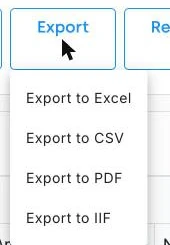
From a gift report you can print or email receipts in bulk, generate contribution statements, add gift tags across the whole result set, edit gifts in bulk, create activities for follow-up, build a mailing list, or export the whole thing to a spreadsheet. Save any version and it reruns with current data whenever you open it.

If none of the thirteen fit, the custom report builder starts from nothing. For the year-end mailing, see annual contribution statements.
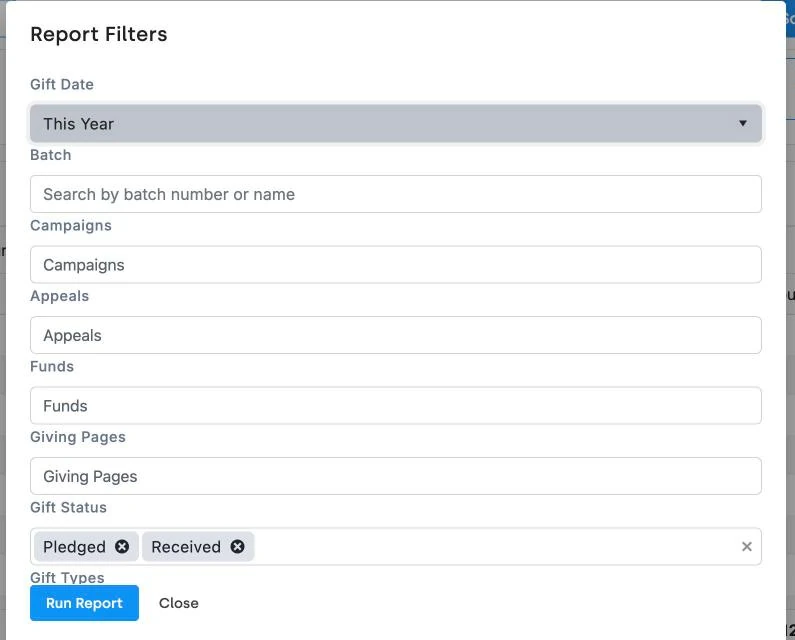
The Report Filters dialog on a DonorDock gift report, with controls for gift date, batch, campaigns, appeals, funds, giving pages, gift status, and gift types.
The Gift Reports column in DonorDock listing all thirteen standard gift reports, including LYBNT, SYBNT, Pledge Balances, Giving Summary, Giving by Geography, and Contribution Statements.

Frequently Asked Questions

What is a LYBNT report?
LYBNT stands for gave Last Year But Not This. It lists donors who gave in the prior year and have not yet given in the current one — your reactivation list. It is a standard report in DonorDock.

What is a SYBNT report?
SYBNT stands for gave Some Year But Not This: anyone with giving history who has not given this year, regardless of how long ago they lapsed.

How many gift reports come built in?
Thirteen standard gift reports, including pledge reports, the giving summary, giving by geography, and contribution statements.

Can I report on in-kind gifts separately?
Yes. Gift reports filter for in-kind contributions, and there is a dedicated In-Kind Contribution Statements report.

Can I see soft credits in a gift report?
Yes. Gift reports can be filtered for soft credits, and connected gifts show the link between a gift and its soft credit or match.

Can I export gift data?
Yes. Any gift report exports to a spreadsheet, and the same result set can generate receipts, statements, bulk gift tags, bulk edits, and mailing lists.

The Report Filters dialog on a DonorDock gift report, with controls for gift date, batch, campaigns, appeals, funds, giving pages, gift status, and gift types.
The Gift Reports column in DonorDock listing all thirteen standard gift reports, including LYBNT, SYBNT, Pledge Balances, Giving Summary, Giving by Geography, and Contribution Statements.
The Report Filters dialog on a DonorDock gift report, with controls for gift date, batch, campaigns, appeals, funds, giving pages, gift status, and gift types.
User ratingUser ratingUser ratingUser ratingUser rating
G2 rating badge in yellow
Trusted by 7,600+ users

You'll believe it when you see it.

Schedule a demo and see why 7,200+ people trust DonorDock for their CRM.
Integration iconIntegration iconIntegration iconIntegration iconIntegration iconIntegration iconIntegration iconIntegration icon

Get more value from your tools

Connect your tools, connect your teams. With over 100 apps already available in our directory, your team’s favorite tools are just a click away.

Start building meaningful donor relationships today.

Your fundraising in one place.
Donor Dock-Shapes1-06