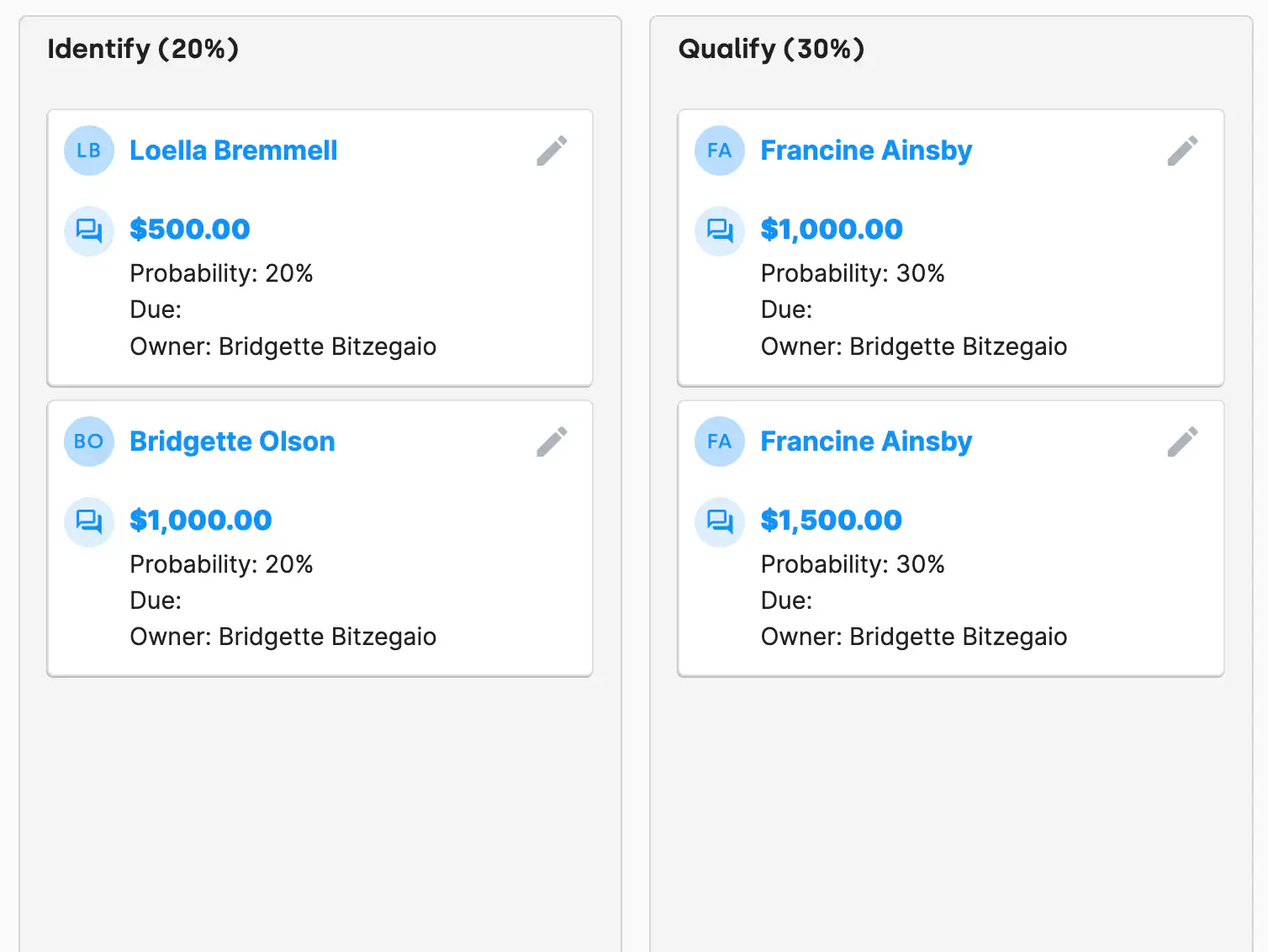
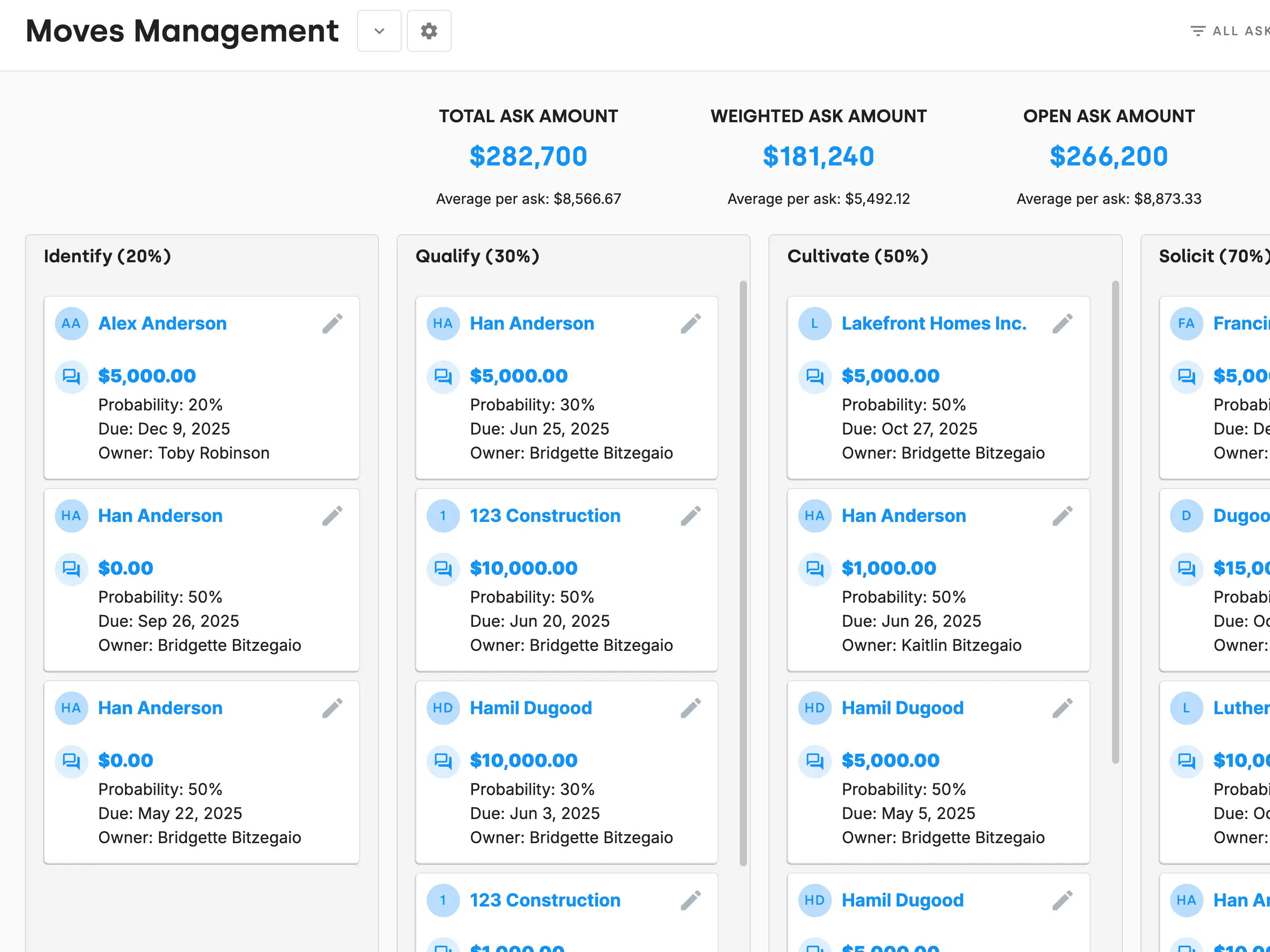
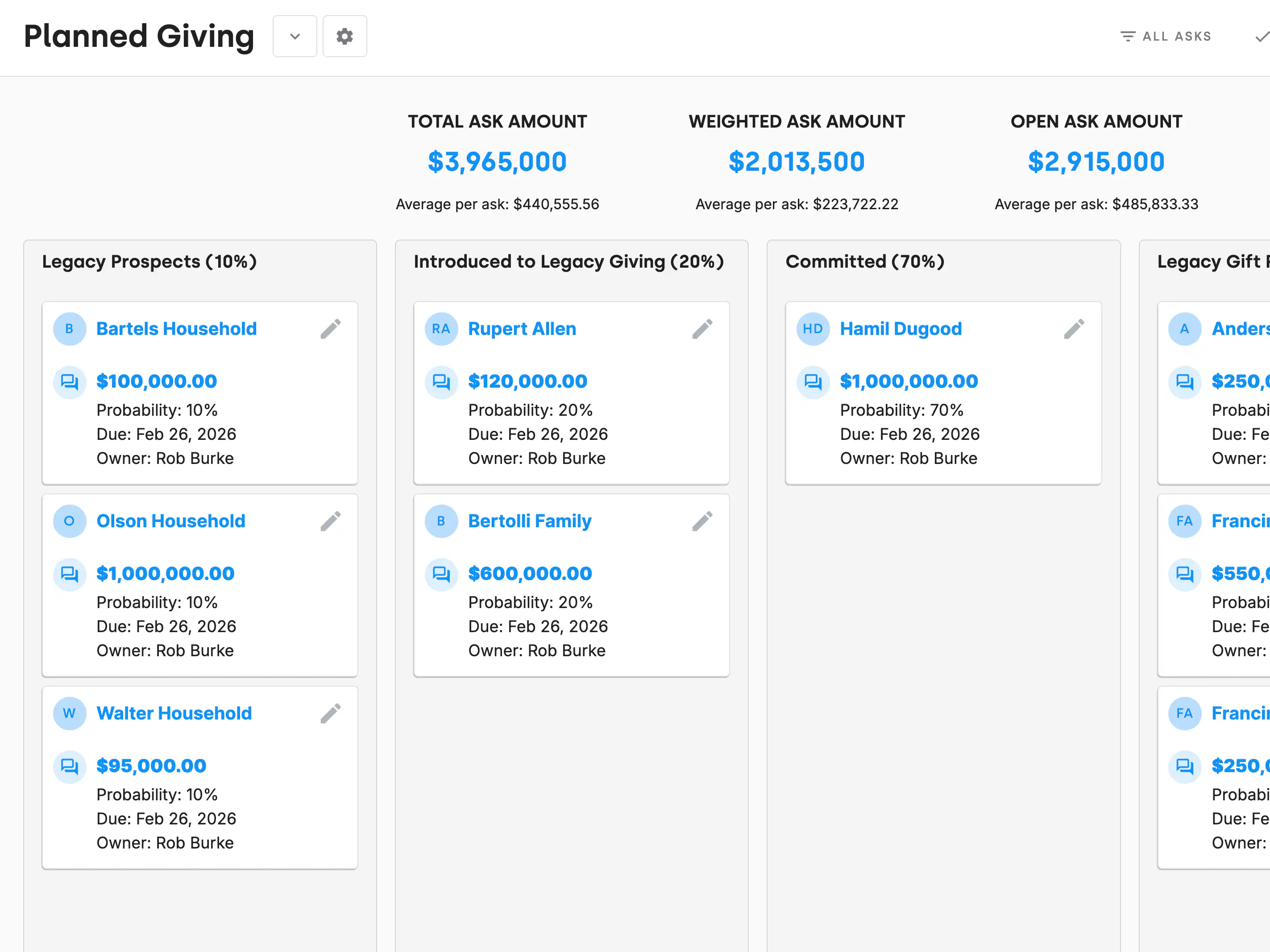
The AskBoard is a Kanban board built for moves management and revenue pipeline tracking. Asks move left to right through stages, and each stage carries a probability that reflects how close that gift is to closing:
Those percentages are what turn a board into a forecast.
Every card is an Ask activity tied to a contact, carrying the amount, the probability, the due date, and the owner. It lives on the contact's record, so the history of how you got to the ask is right there — the meetings, the calls, the notes — rather than in someone's head or a parallel spreadsheet.
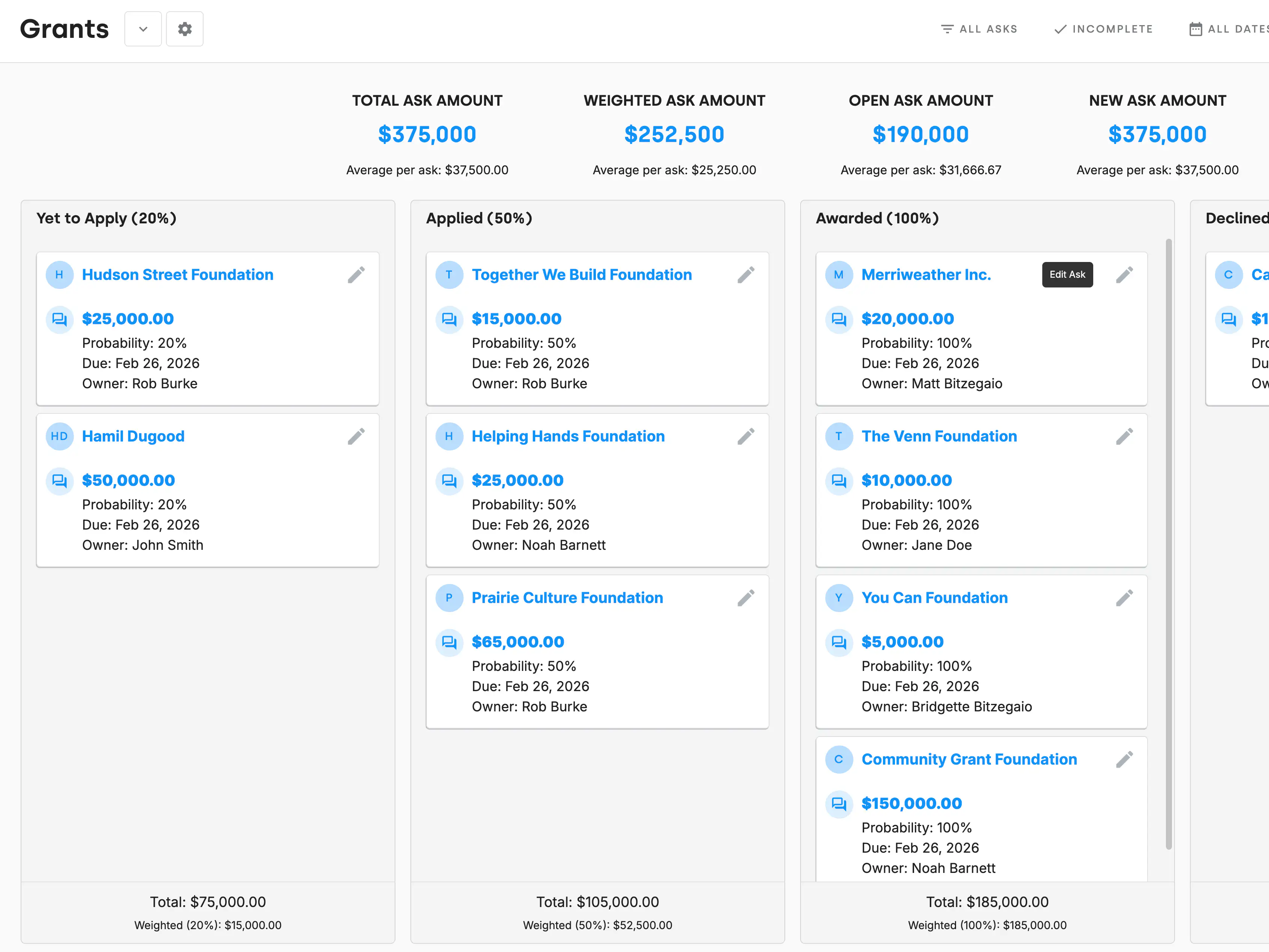
An Ask belongs to a single board at a time. That makes it practical to run separate boards for the pipelines that behave differently:
Ask Stage Changed is one of the automation triggers, which means the board can drive work rather than just record it. Move an ask into Solicit and DonorDock can create the follow-up task, send the internal heads-up, or schedule the call — so the next move is queued the moment you make the last one.
What is the AskBoard in DonorDock?
A Kanban-style board that tracks fundraising asks through a moves management process, from identifying a prospect to closing the gift.
What are the default AskBoard stages?
Five: Identify at 20%, Qualify at 30%, Cultivate at 50%, Solicit at 70%, and Close at 100%.
Can I reorder the AskBoard stages?
Yes. Drag a stage into place and the new order saves. You can rename stages too, so the board matches how your team actually works.
What do the percentages mean?
Each stage carries a probability reflecting how likely the gift is to close, which lets you weight your pipeline rather than adding up best-case totals.
How do I move an ask to the next stage?
Drag the card to the next column, or open the Ask and select a new stage from the dropdown.
Can an ask be on more than one board?
No. An Ask lives on one board at a time — moving it to another board removes it from the first. It can, however, appear on a team member's Action Board simultaneously.
Can I run separate boards for grants and major gifts?
Yes. Teams commonly run separate boards for grants, corporate sponsorships, memberships, planned giving, and major gifts.


.webp)