We use cookies to make your experience better. Learn more about how and why.

Two-Way Text Conversations With Your Donors

Text conversations

A real texting inbox inside your CRM, where every reply lands on the donor's record.
Donors text back. Most nonprofit texting tools treat that as a problem. DonorDock gives you a proper conversation inbox, so a reply reopens the thread, sits next to the contact's record, and gets answered by whoever is looking.
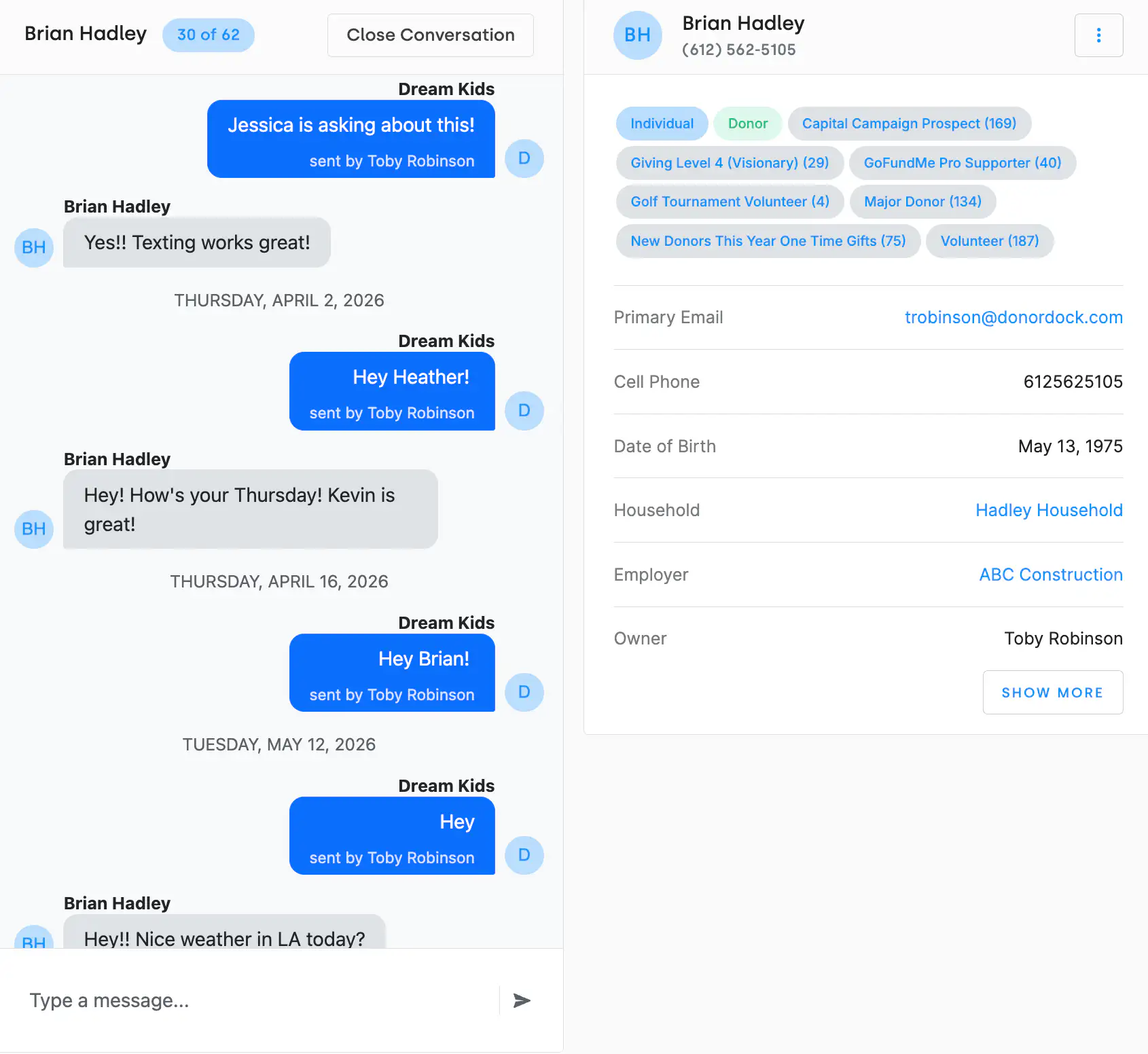
The DonorDock Text Conversations screen: an inbox of open conversations on the left, the message thread in the middle with the organization's blue outgoing message, and the contact's summary card on the right showing badges, email, cell phone, household, and owner.
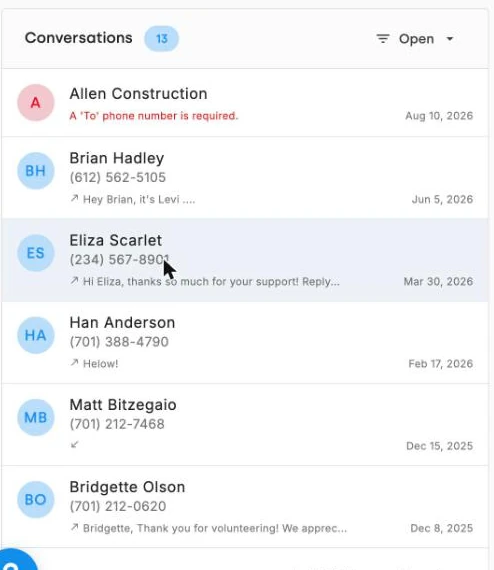
The Conversations inbox in DonorDock listing open text conversations in order of most recent message, each showing the contact, their number, and a preview of the last message.

Replies reopen the thread automatically

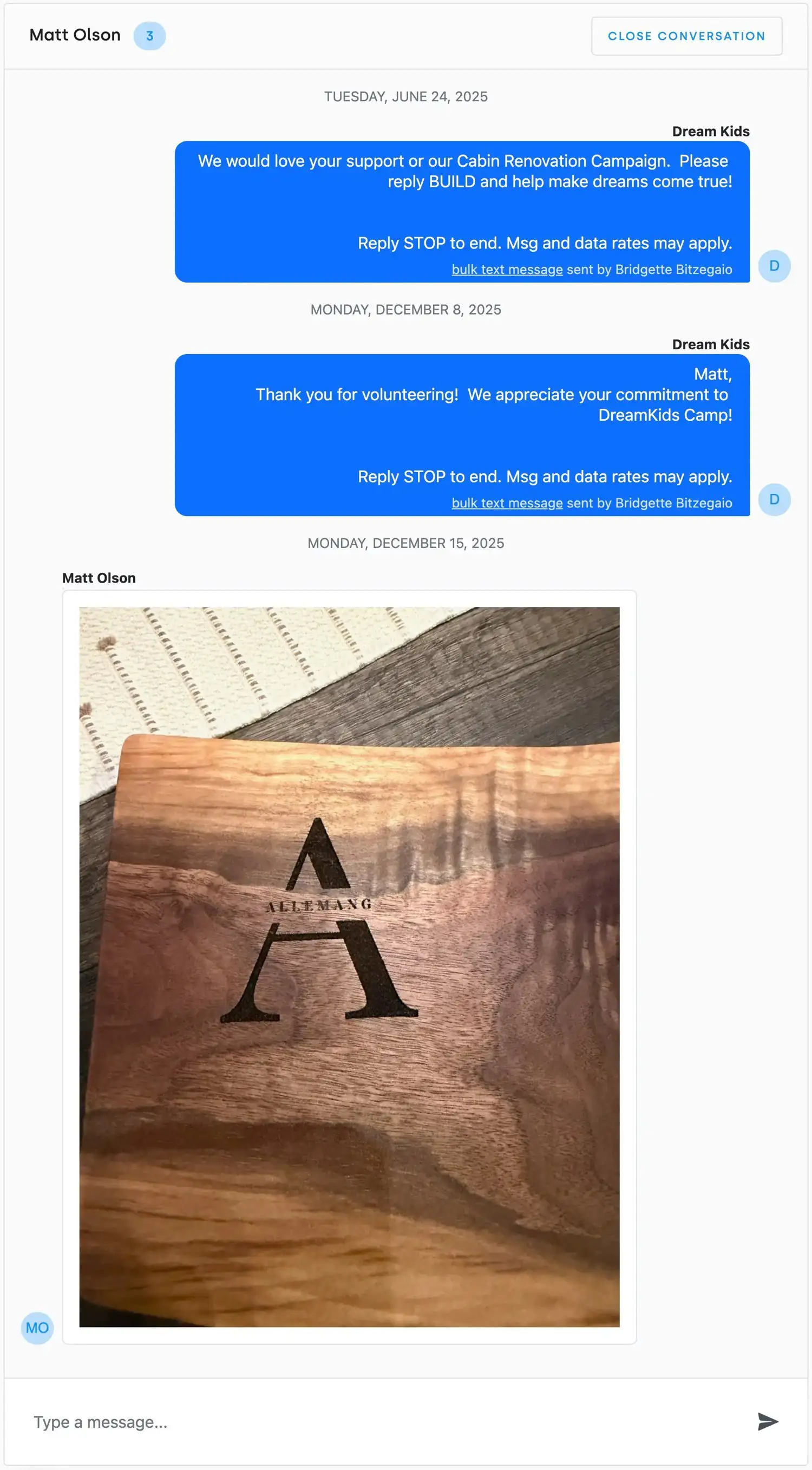
Any message from a contact reopens their conversation and moves it to the top of your inbox. You do not have to remember to check a separate system, and a donor who replies three weeks later does not fall into a void.

You can see who said what

Each message is attributed, the team member's name when a person sent it, or auto-response when it came from an automated reply. On a team of three sharing one number, that is the difference between coordinated and chaotic.

What conversations are actually good for

Texting is not a replacement for email; it is better than email at a few specific things. Confirming attendance. Answering a quick question about a recurring gift. Reaching a volunteer the morning of an event. A short thank-you that feels personal because it arrived like a text from a friend rather than a receipt.

Consent and clean numbers

SMS unsubscribes are tracked separately from email unsubscribes and honored automatically, alongside Do Not Solicit. Bad mobile numbers get flagged with their own contact report, so you can clean up landlines sitting in a mobile field instead of paying to text them.

The rest of the texting toolkit

Conversations handle one-to-one. For sending to a segment, see text message outreach; for giving by text, see text-to-donate. Every text logs as an activity, so it shows up in reports and on the contact's timeline — and an automation can send one as a step.
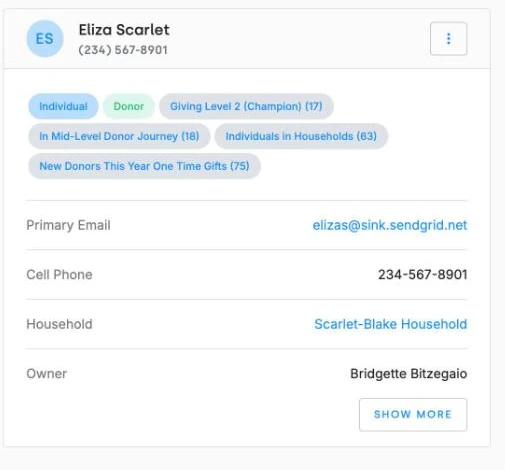
The contact summary card beside a text thread, showing the donor's badges, email, cell phone, household, and record owner.
The Conversations inbox in DonorDock listing open text conversations in order of most recent message, each showing the contact, their number, and a preview of the last message.

Frequently Asked Questions

Can donors text my organization back?
Yes. DonorDock has a two-way conversation inbox under Outreach > Texting > Conversations, and a contact's reply automatically reopens their conversation.

Where do text replies go?
Into your Conversations inbox, sorted by most recent message, with the contact's summary card and badges alongside the thread.

Can I see which team member sent a text?
Yes. Messages are attributed to the team member who sent them, or marked as an auto-response when sent automatically.

What do I need before I can text donors?
A text number, A2P 10DLC registration, and text credits. Your plan includes a monthly credit allotment.

Are text opt-outs handled separately from email?
Yes. SMS unsubscribes are tracked and honored separately from email unsubscribes and Do Not Solicit.

Do texts show up on the contact record?
Yes. Text messages log as activities, so they appear on the contact's timeline and in activity reports.

The contact summary card beside a text thread, showing the donor's badges, email, cell phone, household, and record owner.
The Conversations inbox in DonorDock listing open text conversations in order of most recent message, each showing the contact, their number, and a preview of the last message.
The contact summary card beside a text thread, showing the donor's badges, email, cell phone, household, and record owner.
User ratingUser ratingUser ratingUser ratingUser rating
G2 rating badge in yellow
Trusted by 7,600+ users

You'll believe it when you see it.

Schedule a demo and see why 7,200+ people trust DonorDock for their CRM.
Integration iconIntegration iconIntegration iconIntegration iconIntegration iconIntegration iconIntegration iconIntegration icon

Get more value from your tools

Connect your tools, connect your teams. With over 100 apps already available in our directory, your team’s favorite tools are just a click away.

Start building meaningful donor relationships today.

Your fundraising in one place.
Donor Dock-Shapes1-06