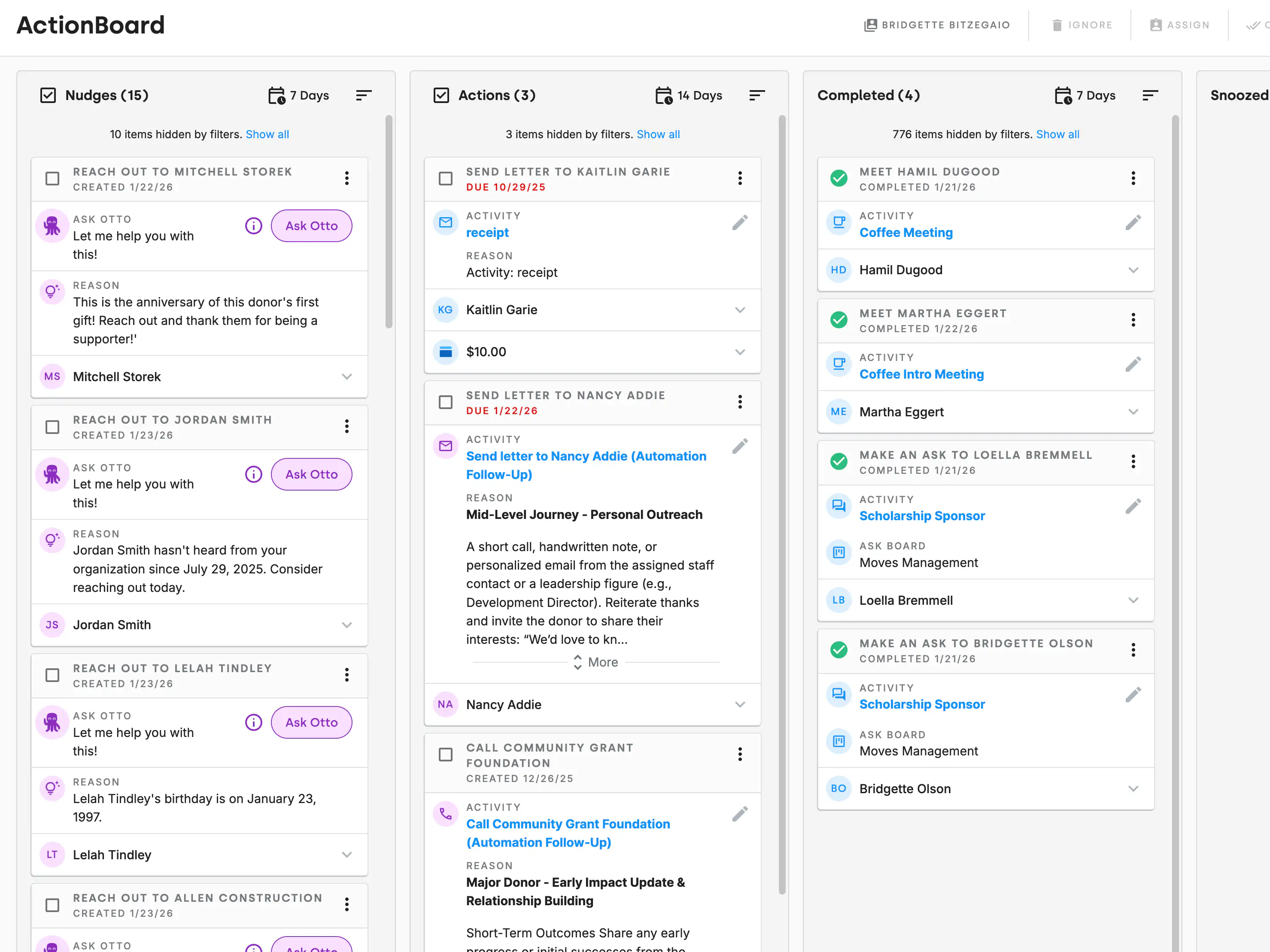
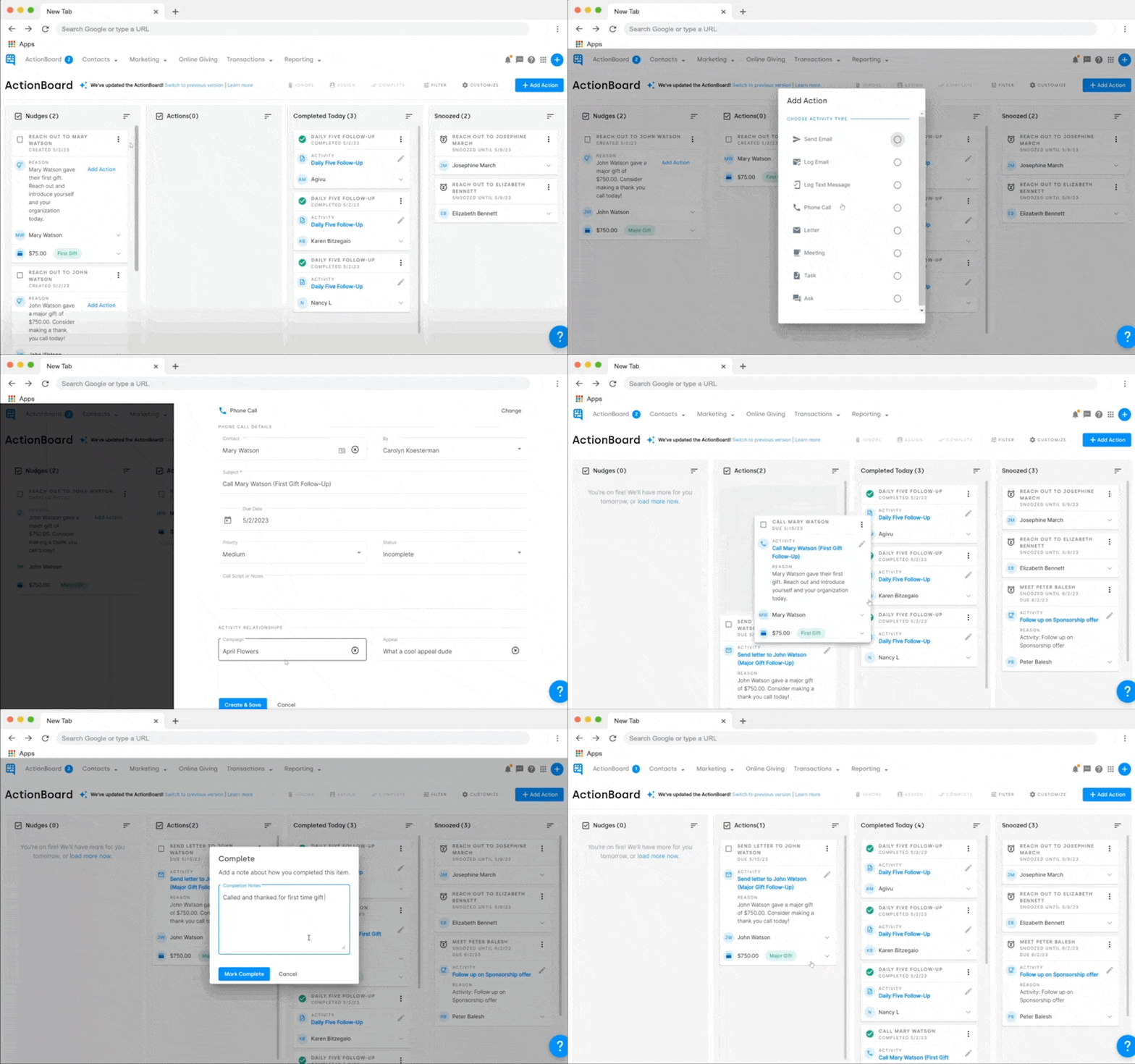
Every time you log into DonorDock, Action Board shows your most important tasks for the day. Donor follow-ups, overdue thank-you notes, pledge reminders, grant deadlines, and stewardship touchpoints are all organized in one view. No more wondering what to work on next.
Otto, DonorDock's AI assistant, analyzes your donor data and surfaces Smart Nudges — intelligent suggestions like "This donor's birthday is next week" or "This monthly giver hasn't been thanked in 60 days." These nudges appear in your Action Board so you never miss an opportunity to strengthen a relationship.
Create tasks manually or let Otto generate them from your data. Assign tasks to team members, set due dates, add notes, and track completion. Tasks are linked to contact records, so every action has context. Mark tasks complete and they are logged in the donor's activity timeline.
Action Board works for your entire team. Each team member sees their own priorities, and managers can view team-wide task status. This prevents duplicate outreach, ensures accountability, and keeps everyone aligned on your fundraising goals.


What is the difference between Action Boards and Project Boards?
The Action Board is your personal task dashboard where any activities assigned to you roll up — it shows what you need to do today. Project Boards are shared visual boards (like Kanban boards) for managing larger initiatives like campaigns, events, or grant pipelines.
How does Otto decide what appears in my Action Board?
Otto analyzes donor engagement patterns, gift history, stewardship timelines, and team activity to surface the most impactful actions. You can turn on and off different types of Smart Nudges to customize Otto's recommendations. You can also add tasks manually.
Can I customize what shows up in Action Board?
Yes. You can set preferences for the types of nudges and tasks that appear, and filter by priority, due date, or contact type.


.webp)