
Prepare your data in a spreadsheet, export it as a CSV, and upload it directly into DonorDock. The import wizard walks you through mapping your columns to the right fields — names, emails, addresses, gift amounts, dates, and custom fields are all supported.
DonorDock auto-detects common column headers and suggests the correct field mapping. Review the preview, adjust as needed, and import. Your existing data structure does not need to match DonorDock perfectly — the mapping tool handles the translation.
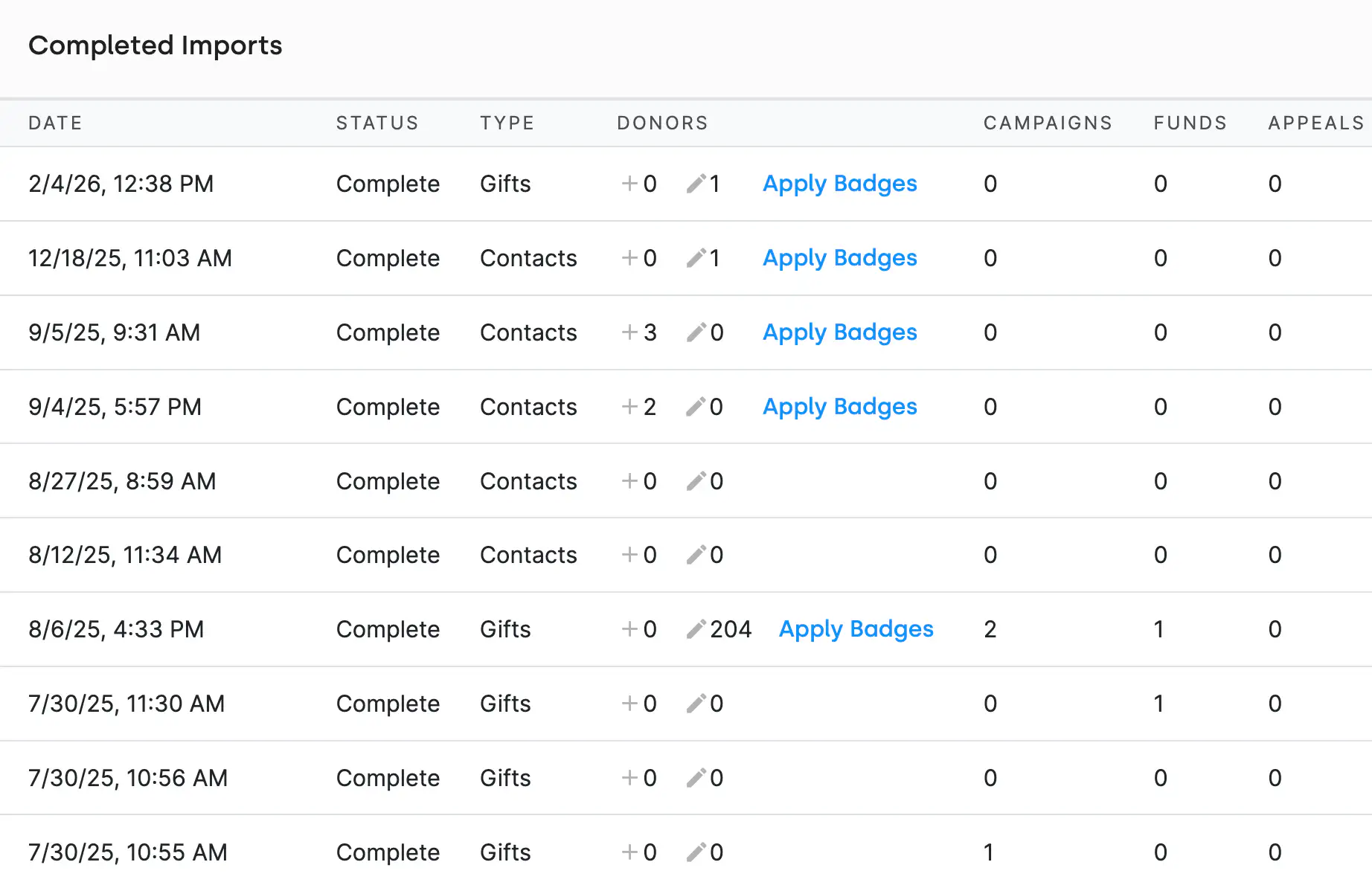
Bulk import is not limited to contacts. You can import gift histories, pledges, activities, and custom field data. This means your full donor history comes with you when you switch to DonorDock, so you never lose historical context.
Your fundraising structure comes in just as easily as your donor data. Import campaigns, funds, and appeals directly from a spreadsheet using the same field mapping you already know. DonorDock validates every row and reports any errors before the import runs, so your setup lands accurate and ready from the start.
When your gift import file includes a Batch Name column, DonorDock automatically routes each gift to the right batch. Existing batches are matched by name, and any new batch name creates a fresh open batch on the fly. This means a single import file can cover multiple appeals, events, or time periods without any manual sorting after the fact.
Need help moving from another CRM? DonorDock offers free data migration support. The team will help you clean, format, and import your data so the transition is seamless. Whether you are coming from Bloomerang, Little Green Light, Kindful, or spreadsheets, DonorDock has you covered.
What file formats does DonorDock accept for import?
DonorDock accepts CSV files. Most spreadsheet applications (Excel, Google Sheets) can export to CSV format.
Can I import data from another CRM?
Yes. DonorDock supports imports from any system that can export to CSV, including Bloomerang, Little Green Light, Kindful, Network for Good, and others. White-glove migration assistance is included in onboarding.
Will importing overwrite existing data?
No. Bulk imports never overwrite what is already in DonorDock. Instead, smarter composite matching uses name and address to spot existing contacts, fill in any empty demographic fields, and flag potential duplicates for you to merge, so your good data stays put and your new data fills the gaps.


.webp)