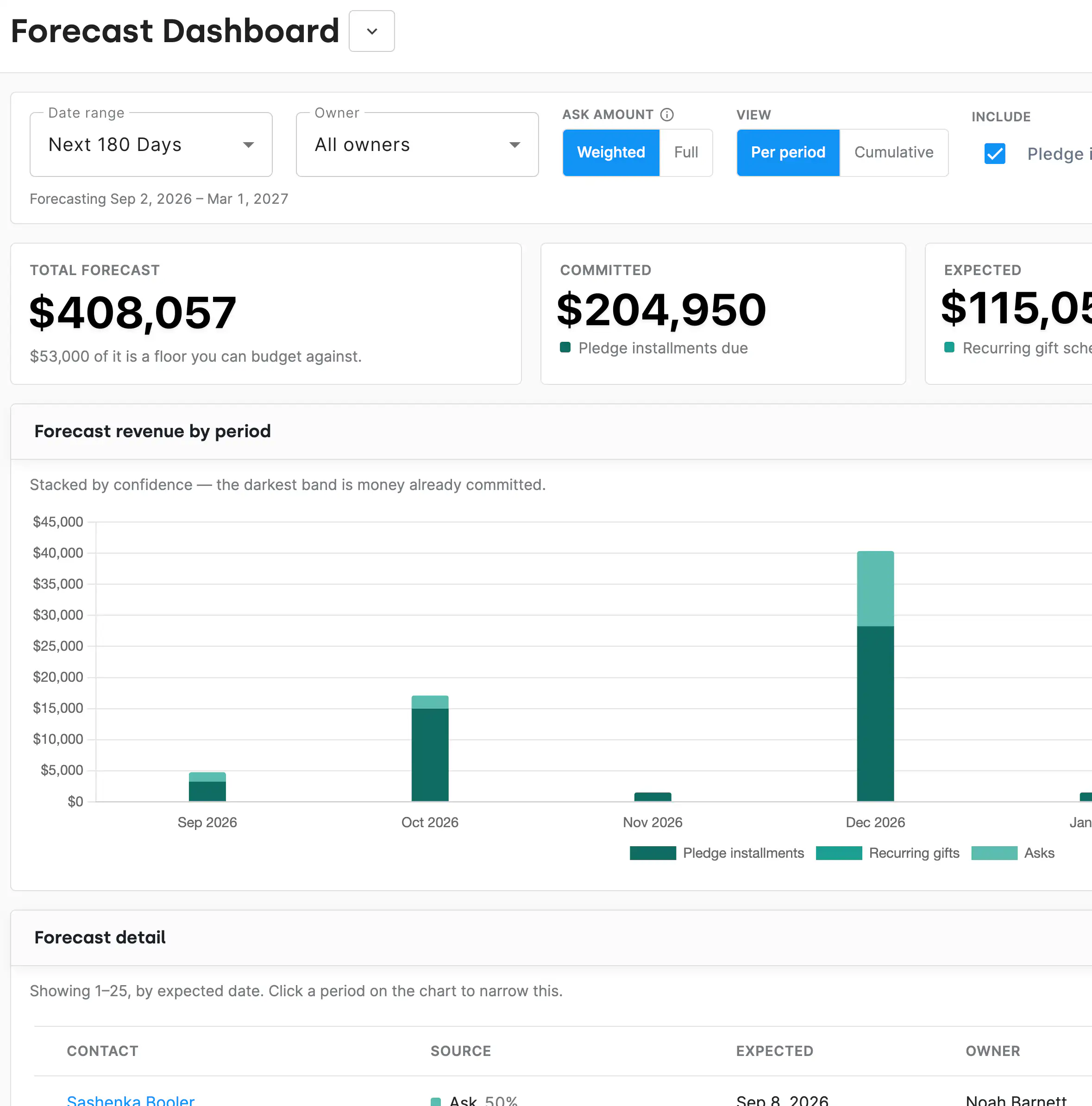
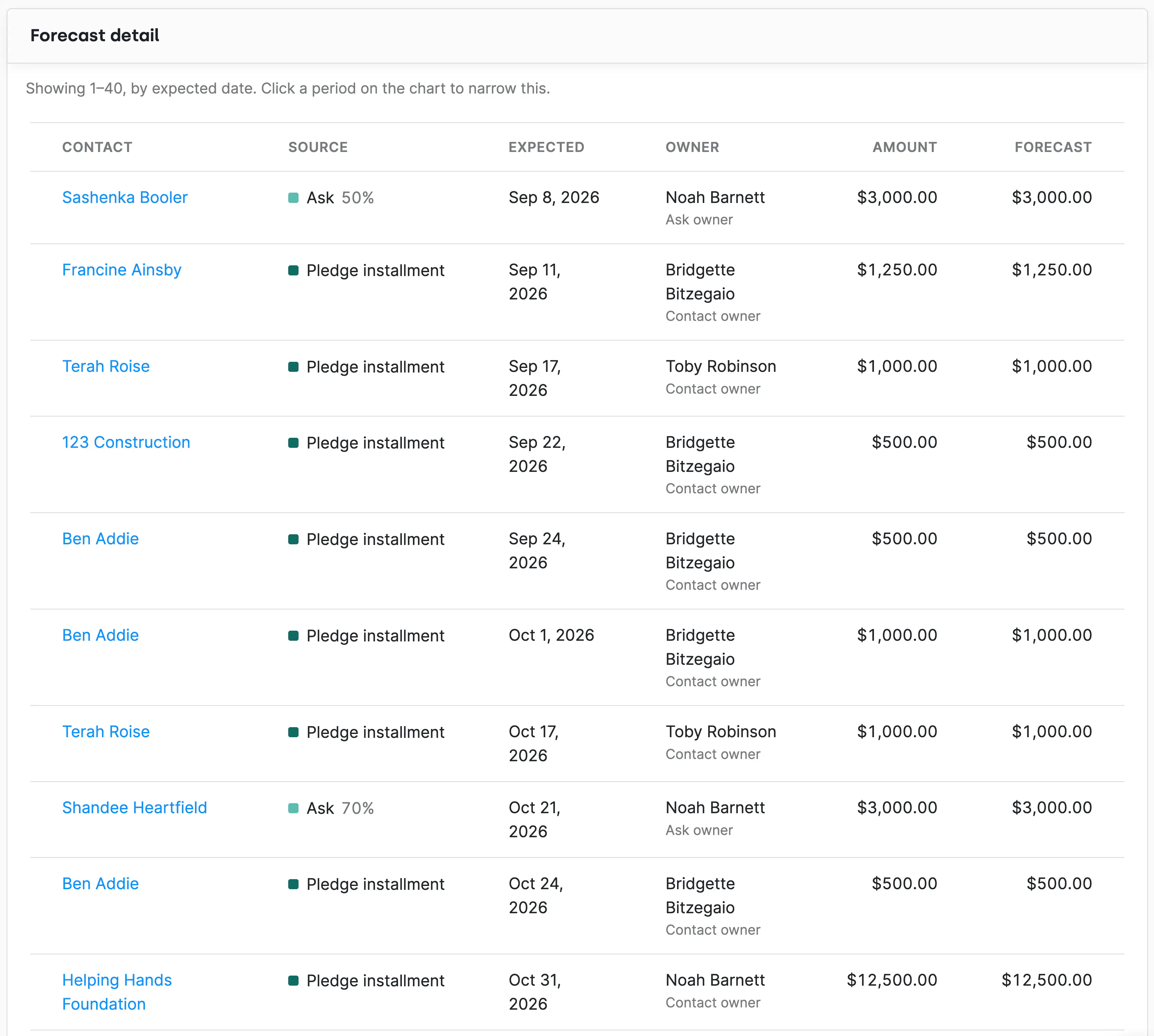
The Forecast Dashboard brings together three kinds of revenue you have already earned but not yet received: pledge installments that are scheduled, recurring gifts that are set to run, and asks you have open. Pick any date range and you get one view of what is expected to come in.
Gifts you've already received show up alongside projected giving, so you can check progress against a monthly or annual goal without opening a second report. When the board asks how close you are, you can answer with what's landed and what's still coming, in the same view.
Open asks are weighted by where they sit in your pipeline, so an ask that is halfway to a yes counts for half its value. That gives you a number you can budget against instead of a best-case total. Switch the ask amount to Full any time you want to see what the year looks like if every ask lands.
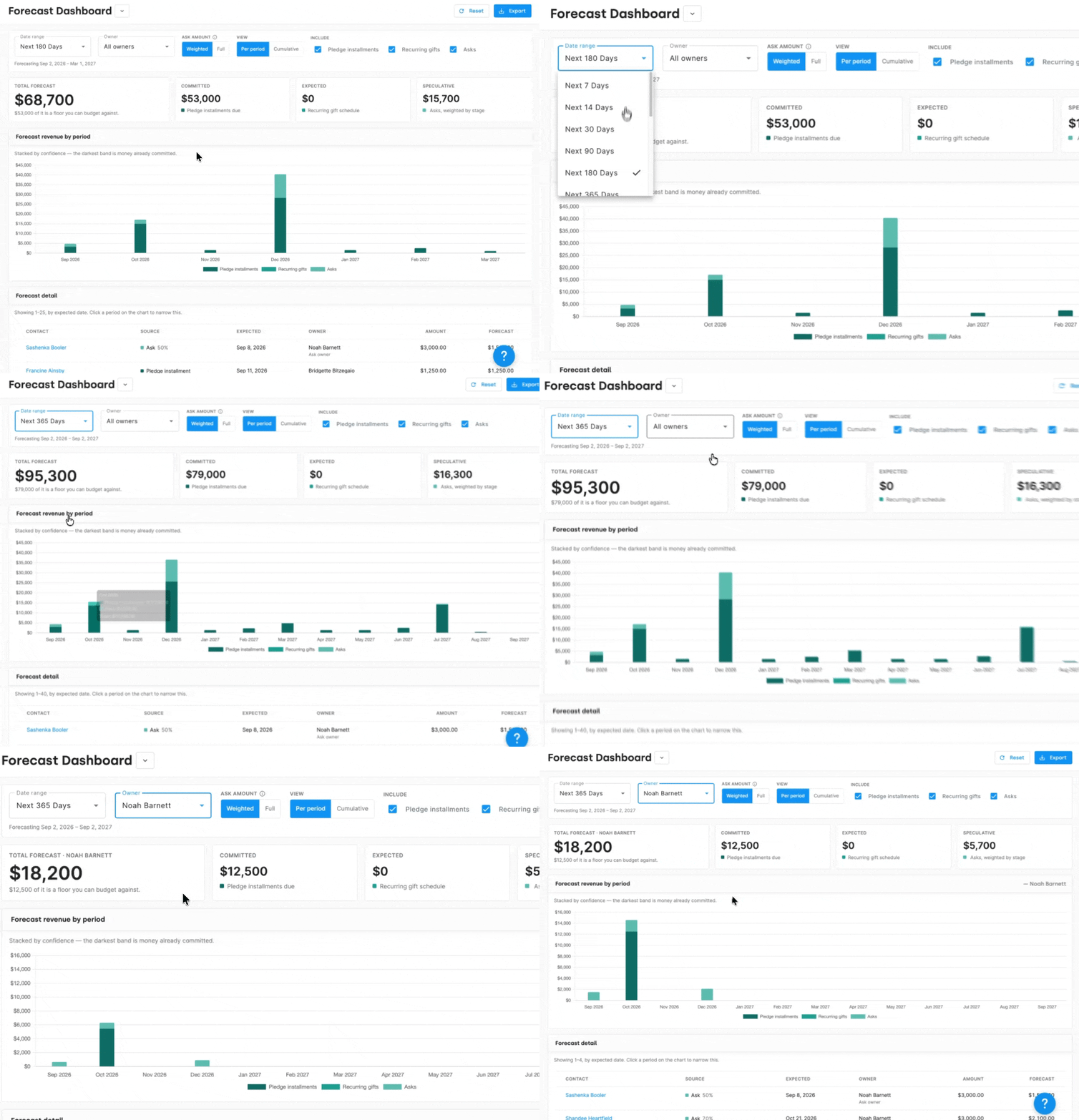
Narrow the forecast by owner to see what one fundraiser is carrying, or by date to line the numbers up with your fiscal calendar, a board meeting, or a campaign deadline. You'll find it in the dashboard dropdown on your main dashboard page.
"How much of next quarter is already committed?" is a hard question to answer when pledges live in one report, recurring gifts in another, and asks on a board. The Forecast Dashboard answers it in one place, with numbers your finance team and your board can both work from.
Nothing here needs separate upkeep. When someone logs a pledge, starts a recurring gift, or moves an ask forward on the AskBoard, the forecast reflects it.
What does the Forecast Dashboard include?
Upcoming pledge installments, recurring gifts, and open asks, combined into one expected revenue view for the date range you choose, plus the gifts you've already received in that range so you can compare progress against your goals. Open asks are weighted by their stage in your pipeline by default, and you can switch to Full to count every ask at face value.
Where do I find it?
It's available from the dashboard dropdown on your main dashboard page.
Can I see the forecast for one fundraiser?
Yes. Filter by owner to see what any single team member is carrying, or leave it unfiltered for the whole organization.
Can I set the forecast to my fiscal year?
Yes. The forecast runs on any date range you choose, so you can match it to a fiscal year, a quarter, or a campaign window.


.webp)