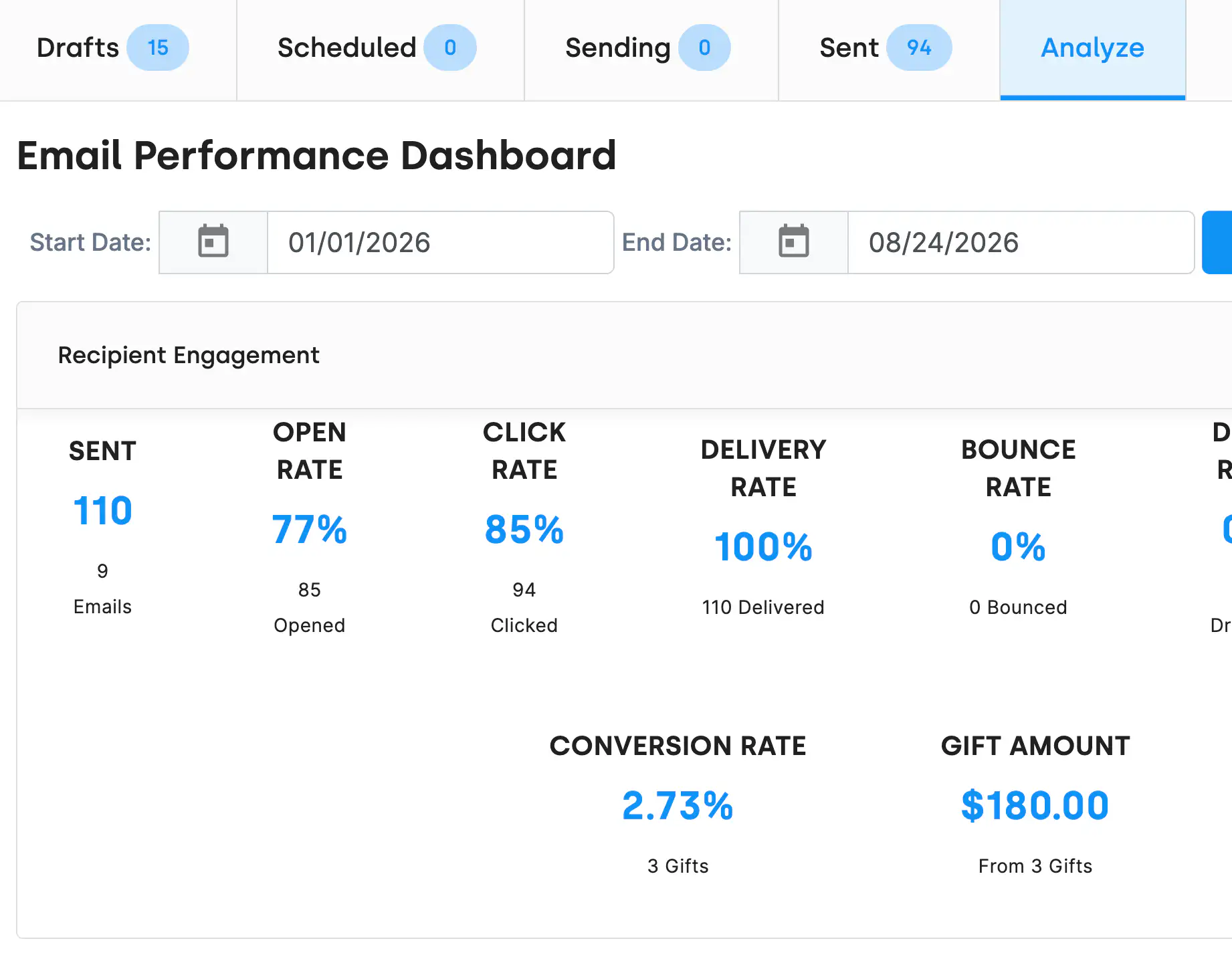
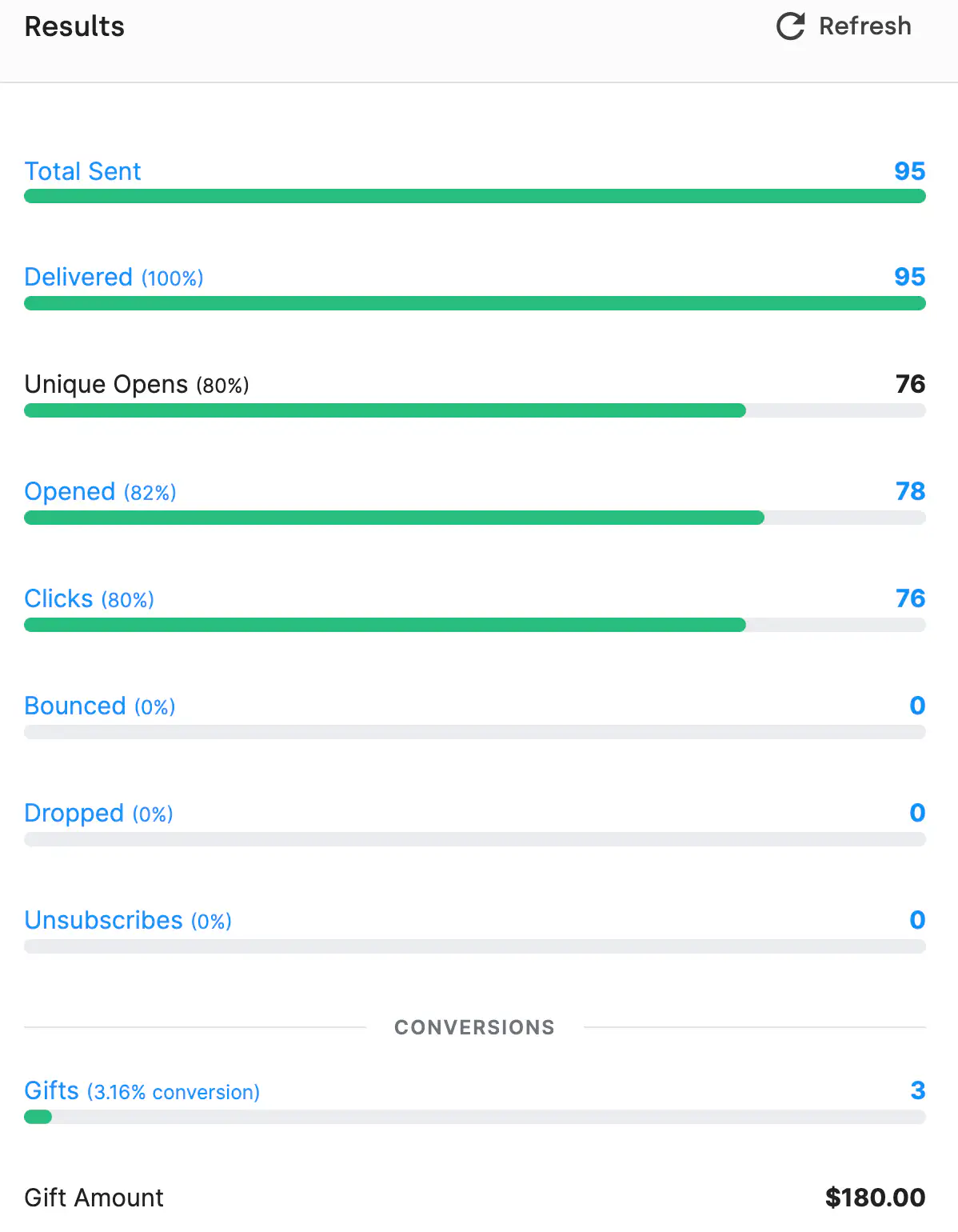
The statistics card on any sent email shows:
Conversions is the one that matters. Because DonorDock sends the email and holds the gift record, it can connect a click to a donation and tell you the appeal email raised $4,200 from nine gifts. An email platform sitting outside your CRM can tell you the click happened and then loses the thread.
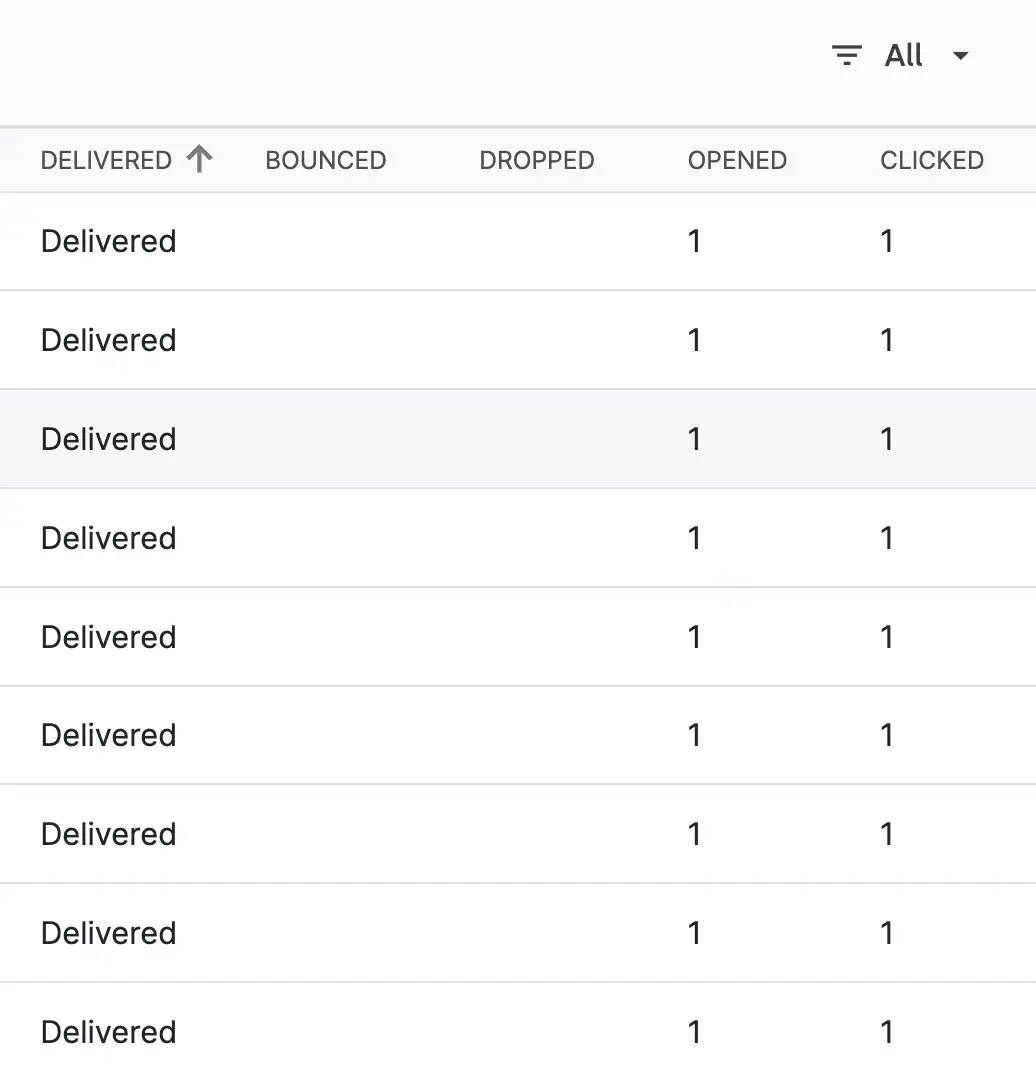
Under the summary, the email activities table lists every recipient with their own delivered, bounced, dropped, opened, and clicked status. You can see exactly who clicked which link, and pull an activity report of everyone who clicked a specific one — which turns a newsletter into a warm list. See click tracking.

What email metrics does DonorDock track?
Total sent, delivered, unique opens, total opens, clicks by link, soft and hard bounces, dropped emails, unsubscribes, and gift conversions with dollar amounts.
Can I see how much money an email raised?
Yes. Conversions show the number of gifts created from clicking a link in the email and the total amount those gifts represent.
What is the difference between unique opens and opens?
Unique opens counts individual recipients who opened. Opens counts every open, including repeats.
Are open rates accurate?
They are directionally useful but conservative. Some email clients block open tracking, so actual opens are typically higher than reported. Clicks and conversions are more reliable.
Can I see which individual contacts opened or clicked?
Yes. The email activities table shows per-contact status, and you can run an activity report of everyone who clicked a specific link.
Can I track performance over time?
Yes. Bulk email statistics can be analyzed across a date range rather than one send at a time.


.webp)