We use cookies to make your experience better. Learn more about how and why.

Annual Contribution Statements Without the January Scramble

Annual contribution statements

Generate year-end giving statements for every donor at once, then email them or print them for the mail.
Year-end statements are the one mailing you cannot skip and nobody wants to build. DonorDock generates them from a standard report, itemizes every gift in the period, and lets you email or print the whole batch in one pass.
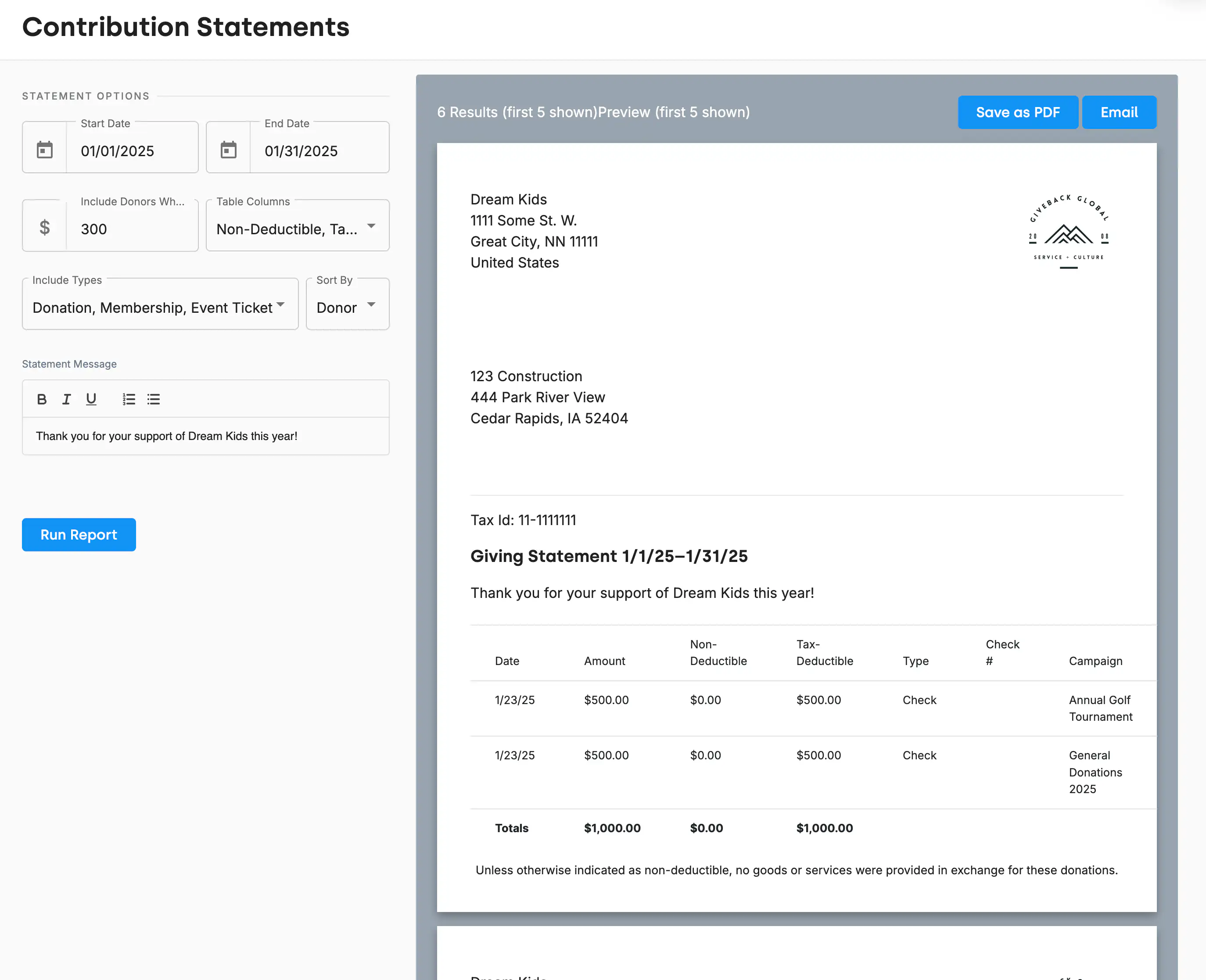
The DonorDock Contribution Statements screen with statement options on the left — date range, minimum gift amount, table columns, gift types, sort order, and a custom message — and a preview of a donor's itemized giving statement on the right with Save as PDF and Email buttons.
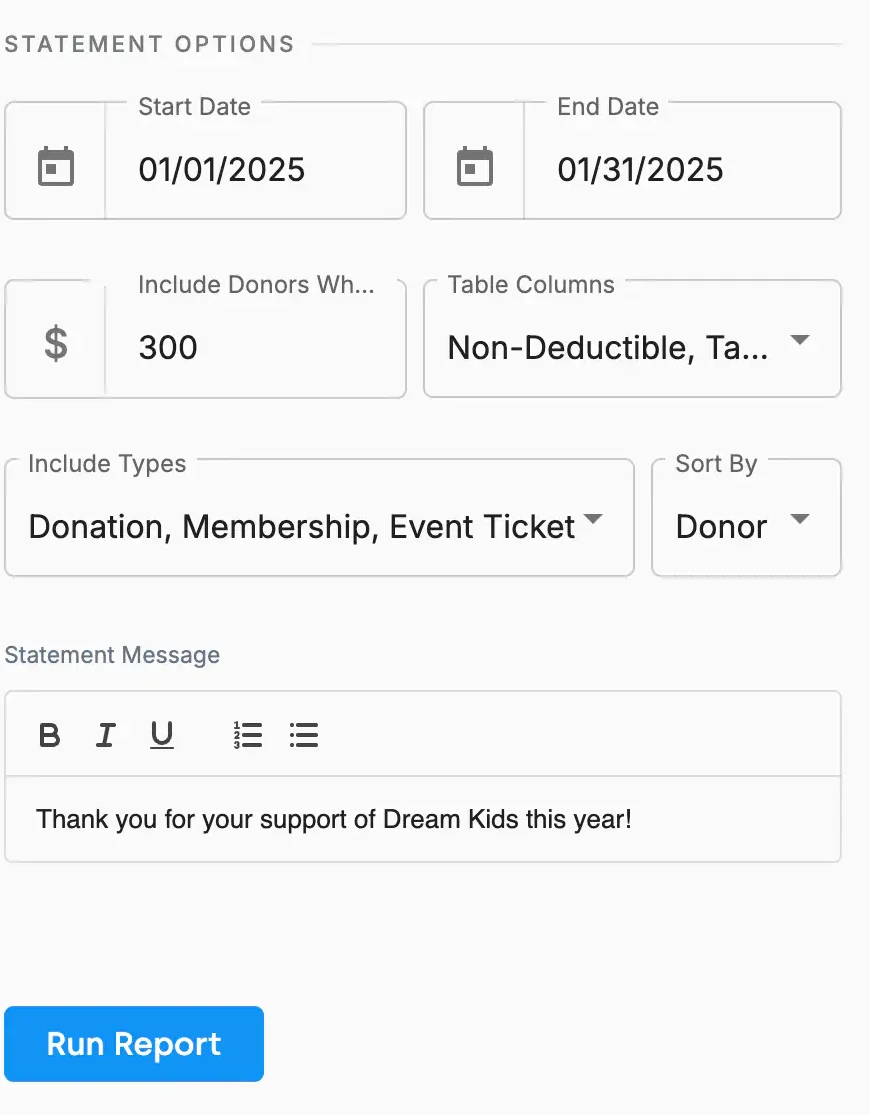
The Statement Options panel in DonorDock with a start and end date, a minimum gift amount, table column choices, the gift types to include, a sort order, and a custom statement message.

One report, every donor's statement

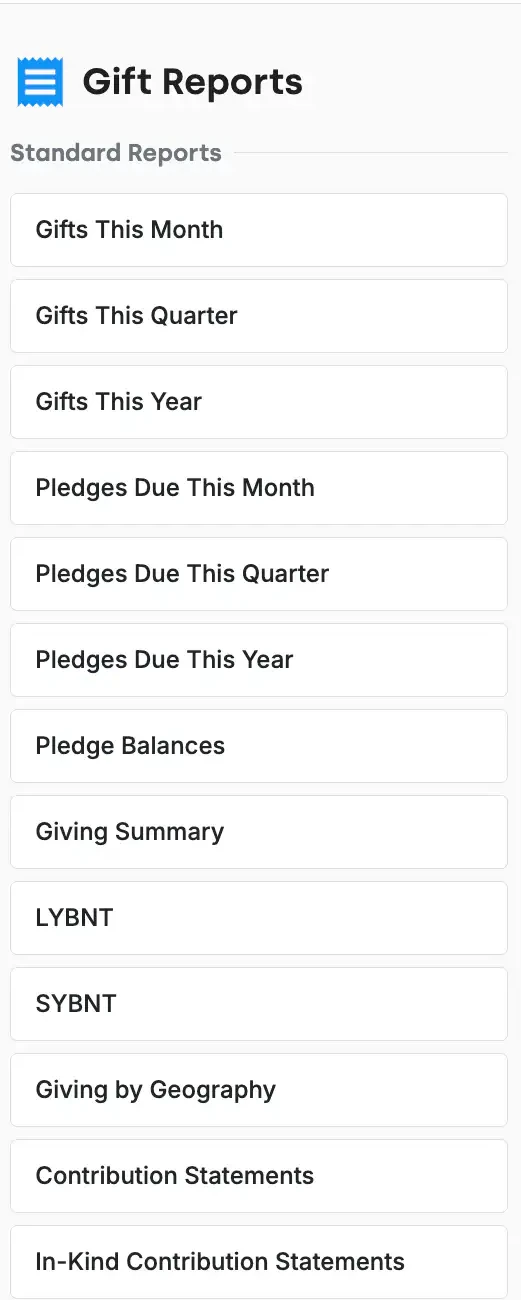
Contribution Statements is a standard gift report, which means you are not building anything. Set the period, run it, and DonorDock produces a statement for every donor in that range at once. You can also generate a single statement for one donor when someone calls in February asking for theirs.

Email it or mail it

Save the batch as a PDF, formatted to sit correctly in a #10 double-window envelope, or email statements directly to your contacts.

In-kind gifts get their own statement

In-Kind Contribution Statements is a separate standard report. It lists item descriptions without assigning dollar values. See in-kind gifts.

Get your organization details right first

Statements pull your logo, EIN, and address from your organization settings, so fixing those once fixes every statement.

For the receipt that goes out immediately after each individual gift, see receipts. For the mailing side, see sending annual giving statements.
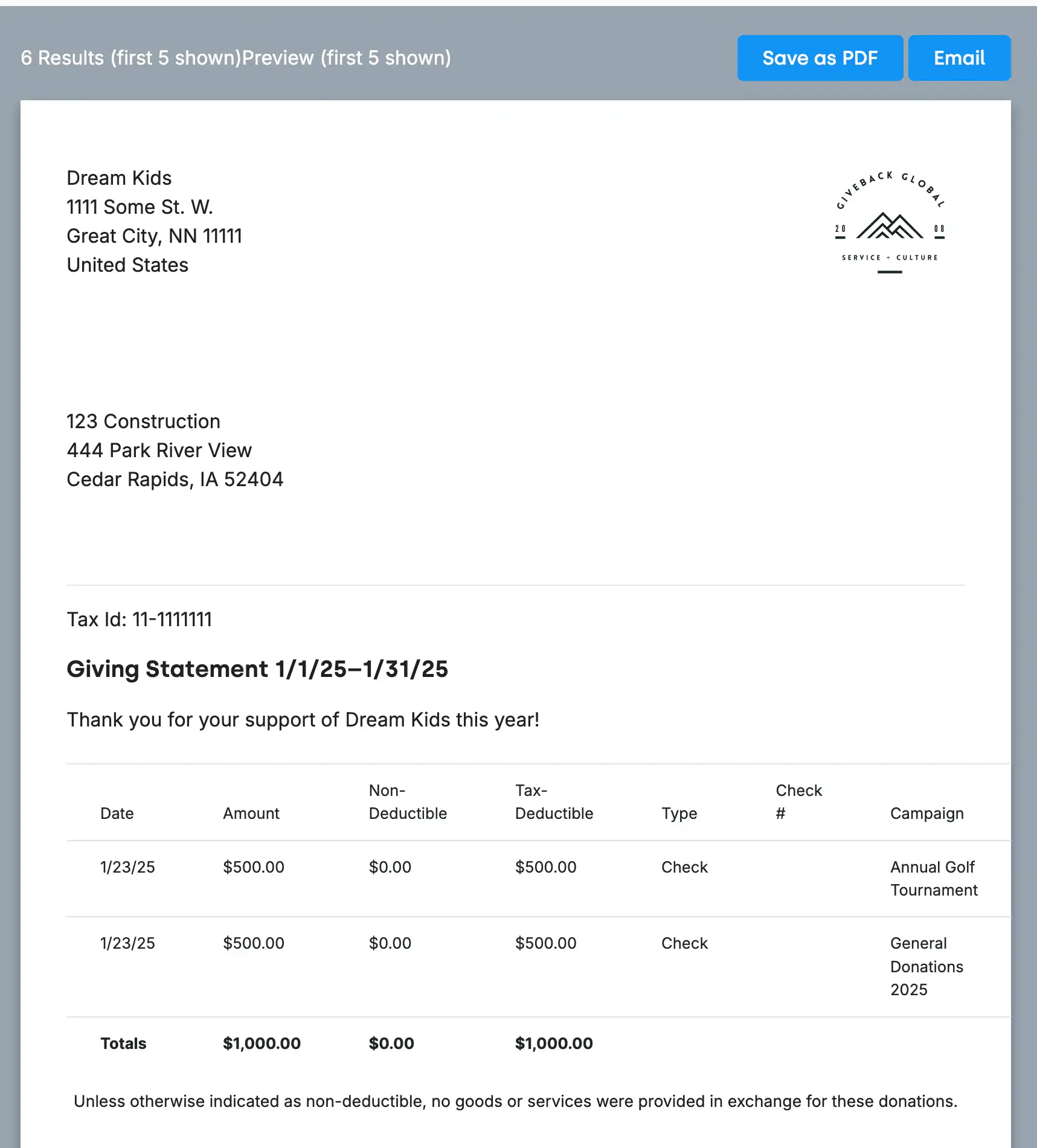
A generated contribution statement showing the organization's logo, address, and tax ID, the donor's mailing address, an itemized gift table with non-deductible and tax-deductible columns, totals, and the goods-or-services disclosure, with Save as PDF and Email buttons above it.
The Statement Options panel in DonorDock with a start and end date, a minimum gift amount, table column choices, the gift types to include, a sort order, and a custom statement message.

Frequently Asked Questions

How do I create annual giving statements in DonorDock?
Run the Contribution Statements gift report, set your date range and options, and DonorDock generates a statement for every qualifying donor at once.

Can I email statements instead of mailing them?
Yes. Statements can be emailed directly to contacts or saved as a PDF for printing — or both, in the same run.

What is on a contribution statement?
Your organization's name, address, logo, and tax ID; the donor's name and mailing address; an itemized table of every gift in the period with tax-deductible and non-deductible amounts; totals; and the standard goods-or-services disclosure.

Can I exclude small gifts?
Yes. Set a minimum amount so only donors above that threshold receive a statement.

How are in-kind gifts handled?
In-Kind Contribution Statements is a separate report that lists item descriptions without dollar values.

Can I add a personal message?
Yes. A custom statement message appears on every statement in the batch.

A generated contribution statement showing the organization's logo, address, and tax ID, the donor's mailing address, an itemized gift table with non-deductible and tax-deductible columns, totals, and the goods-or-services disclosure, with Save as PDF and Email buttons above it.
The Statement Options panel in DonorDock with a start and end date, a minimum gift amount, table column choices, the gift types to include, a sort order, and a custom statement message.
A generated contribution statement showing the organization's logo, address, and tax ID, the donor's mailing address, an itemized gift table with non-deductible and tax-deductible columns, totals, and the goods-or-services disclosure, with Save as PDF and Email buttons above it.
User ratingUser ratingUser ratingUser ratingUser rating
G2 rating badge in yellow
Trusted by 7,600+ users

You'll believe it when you see it.

Schedule a demo and see why 7,200+ people trust DonorDock for their CRM.
Integration iconIntegration iconIntegration iconIntegration iconIntegration iconIntegration iconIntegration iconIntegration icon

Get more value from your tools

Connect your tools, connect your teams. With over 100 apps already available in our directory, your team’s favorite tools are just a click away.

Start building meaningful donor relationships today.

Your fundraising in one place.
Donor Dock-Shapes1-06