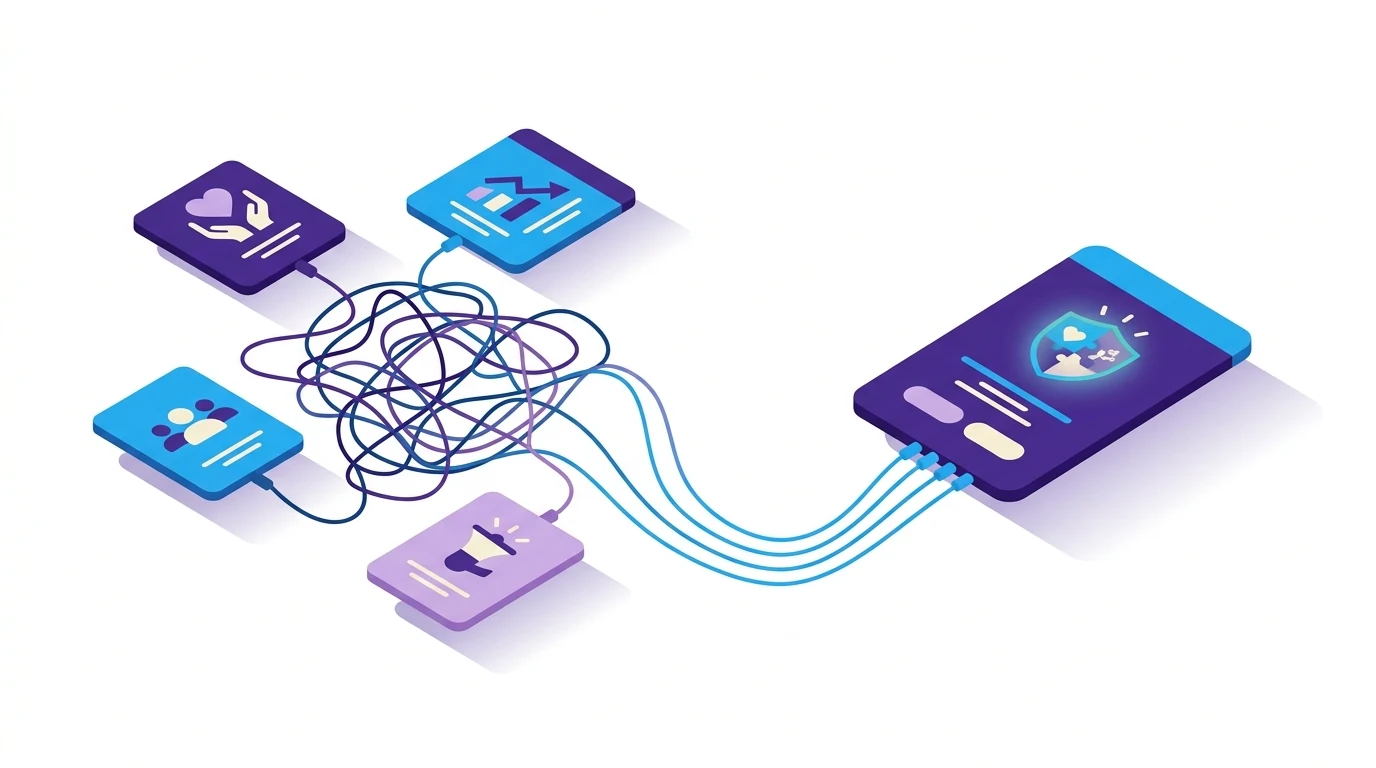
If your donor data lives in five different apps, your brain is doing unpaid integration work. You’re chasing exports, reconciling spreadsheets, and wondering which version of a donor’s email is real. Let’s fix that. Your CRM should be the single source of truth that unifies your fragmented stack, reduces app toggling, and gives you clear next steps. This approach helps you focus on what matters most: donor relationships.
When your CRM is the trusted hub, you ease your mental load and unlock more focus, less frenzy.
Below is a straightforward blueprint for making your CRM the place where data comes together and decisions flow out.
What does “single source of truth” mean for a growing nonprofit CRM?
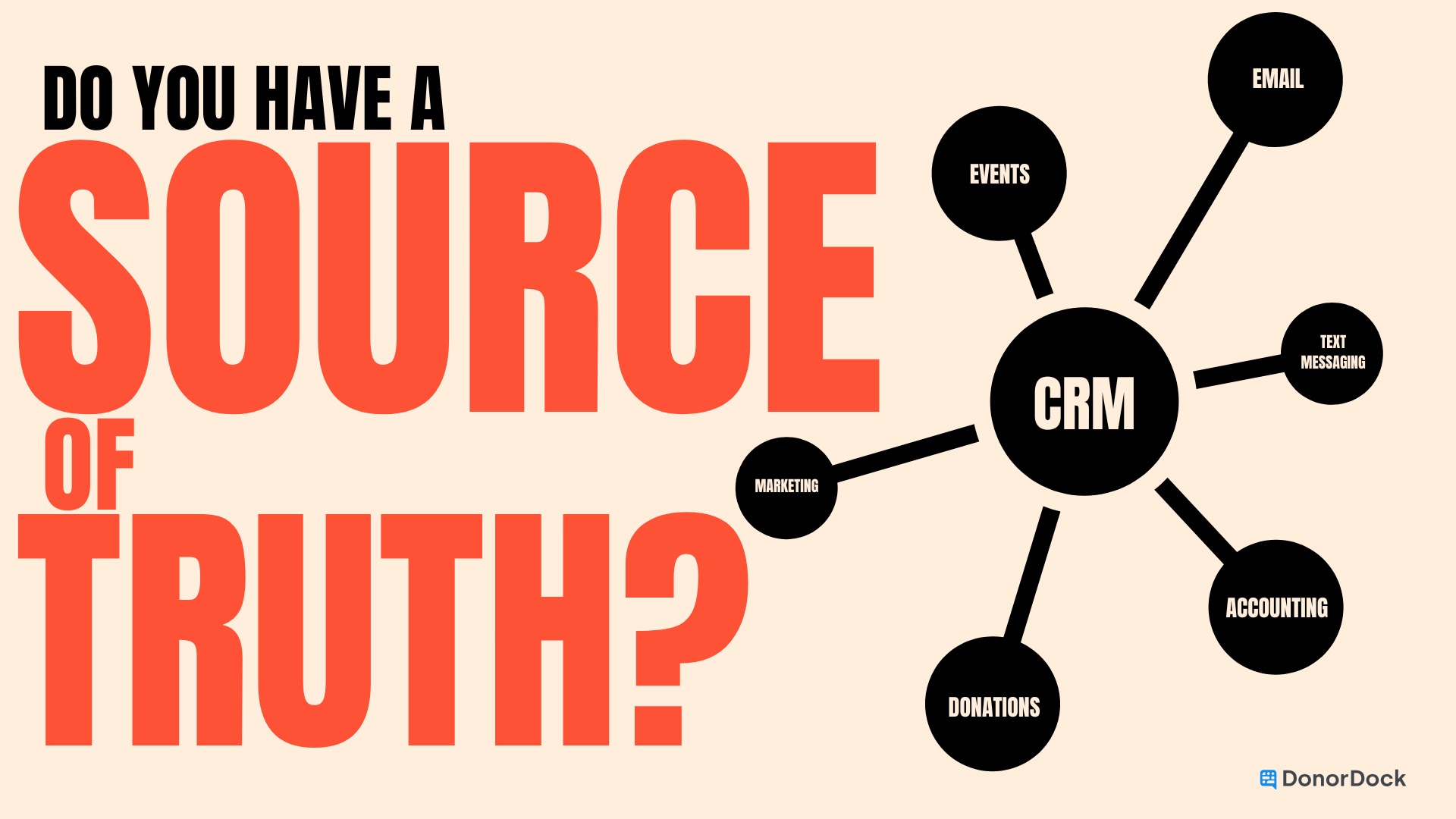
A single source of truth means your CRM holds the canonical record for each constituent and gift. It’s where contact info, giving history, tasks, notes, and engagement signals are accurate, complete, and up to date. Other tools can read from or write to the CRM, but the CRM remains the authoritative profile.
Why this matters right now:
- Nonprofits report rising service demand while capacity lags, and staffing remains a top pain point. Streamlined systems help growing fundraising teams do more with less.
- Dollars raised can go up even as the number of donors declines. That means retention and stewardship quality matter more than ever, and clean, centralized data is essential for both to happen.
- Poor data quality is expensive. While enterprise figures vary, Gartner has estimated that bad data costs organizations at least $12.9 million annually on average. The scale is different for nonprofits, but the pattern is the same: messy data drains time and money.
- App overload creates “toggle tax.” Researchers observed workers switching between apps about 1,200 times daily, costing hours each week. Fewer, better-connected tools protect your focus (Harvard Business Review).
What data should flow into your CRM and what should flow out?
Everything that defines a relationship should flow into the CRM. Everything that delivers communication, payments, and analysis can be triggered out of the CRM.
Flow into CRM: your canonical record
- People and org profiles: names, pronouns, addresses, emails, phones, affiliations, households.
- Gifts and pledges: one-time, recurring, soft credits, in-kind, tribute, pledge schedules.
- Engagement history: email opens and clicks, event attendance, form submissions, volunteer shifts, meeting notes, call summaries, tasks.
- Preferences and segments: communication preferences, interests, tags, major gift stages, lapsed flags.
- Attribution and source data: campaign, appeal, source codes, UTM parameters if available.
Flow out of CRM: execution and insight
- Email and SMS tools: send segmented campaigns based on CRM tags and behaviors. Keep the email tool light and synced back to the CRM, or use a built-in tool.
- Online giving and forms: push successful gifts and new contacts back into CRM profiles in real time.
- Accounting: export gift batches or use a mapped sync so finance gets clean data with gift type, restrictions, and GL codes.
- Analytics and reporting: share dashboards for board packets, KPIs, and pipeline views, but keep constituent-level truth in the CRM.
If you want a deeper dive on right-sizing the stack, read Nonprofit CRM Tech Stack: All-in-One, Best-in-Breed, or the LEGO Set in the Middle? and Nonprofit CRM Buyer’s Guide: 12 Questions to Ask. These resources help you choose tools that snap cleanly into your CRM without creating new silos.
How do you make the CRM your trusted hub without rebuilding your stack?
Use a 30-day sprint to centralize what matters, sync a few high-value tools, and establish governance so the CRM stays clean.
Week 1: Define the minimum viable profile
- Decide which fields must be accurate for every contact: primary email, preferred name, address, phone, household link, donor type, last gift date, lifetime value, recency-frequency-monetary tags, consent preferences.
- Document which system is the source for each field. The CRM should own most fields, but a payment processor might own the raw transaction ID.
- Create a “field dictionary” so everyone keys data the same way.
Week 2: Connect intake points to the CRM
- Replace generic forms with CRM-connected forms so new records land clean and tagged.
- Ensure online gifts, event registrations, and newsletter signups sync back within minutes, not days.
- Set up acknowledgment automations that create tasks for handwritten or personal follow-ups. Tools support the relationship, they don’t replace it.
Week 3: Clean, dedupe, and govern
- Run a dedupe pass and fix the top 100 records with the most downstream impact. Protect longitudinal giving history.
- Create simple ownership rules: who resolves duplicates, who approves new fields, and how address changes get verified.
- Add a 15-minute weekly “data hygiene standup” so issues don’t pile up. For practical hygiene guidance, use How to Keep Your Donor Data Clean (and Your Relationships Strong).
Week 4: Standardize your execution loop
- Build recurring plays that depend on clean CRM data: new donor welcome, lapsed donor callback, monthly donor upgrade, etc.
- For each play, define the list, the action owner, the automation trigger, the manual touch, and the success metric.
- Measure time to thank-you and conversion rates. Use the wins to secure buy-in and sunset unused tools.
“Ruthless elimination of more” is your friend. Keep what measurably reduces time to next donor touch.
Pro tip: Watch the toggle tax and work-about-work hours. Studies show workers waste significant time bouncing between apps, with one analysis documenting roughly 1,200 application switches per day and hours lost reorienting. Reducing app count and centralizing data can claw back real time for donor conversations. Meanwhile, Asana’s latest Anatomy of Work insights estimate around 60% of time goes to coordination, not skilled work. Cut that with a calmer stack and CRM-first workflows.
How will you know it’s working?
You’ll see faster stewardship, cleaner lists, fewer toggles, and better retention.
Track these simple indicators:
- Time to thank-you: aim to acknowledge within 24 hours.
- Data completeness: percentage of contacts with preferred name, primary email, and address. Target 90%+ for active donors.
- Duplicates per 1,000 contacts: drive this toward zero with weekly review.
- List accuracy: bounce rate and unsubscribe rate trend down as your CRM becomes the truth.
- Retention: compare year-over-year. Sector-wide, dollars can rise even as donor counts dip, so winning on retention is your moat.
- Toggle count: count tools used to run a campaign. If you can move from 6 tools to 3, you’ll feel it in your calendar and your brain.
Common pitfalls and how to avoid them
- Letting email own your contact data. Your ESP (Email Service Provider) should reflect CRM segments, not replace them. Sync engagement back to the CRM so the profile stays authoritative. Don’t build identity in the ESP.
- Unmapped finance workflows. Loop in accounting early. Decide on GL codes, restrictions, batches, and reconciliation steps so gift data remains consistent.
- Field sprawl. Every field should have an owner and a reason. Use a field dictionary so staff enter data consistently.
- Big-bang rebuilds. You rarely need one. Start with a 30-day sprint, prove time savings, and expand.
The payoff for growing fundraising teams
A calm, CRM-centered stack lightens your cognitive load and makes consistent stewardship possible. You’ll write better notes, spot smarter upgrades, and pull cleaner lists in minutes, not hours. Most importantly, your donors will feel known and thanked on time.
If you're ready to cut through the noise and make your CRM the truth, Schedule a demo to see how DonorDock helps fundraising teams unify data, automate the boring stuff, and build meaningful donor relationships.