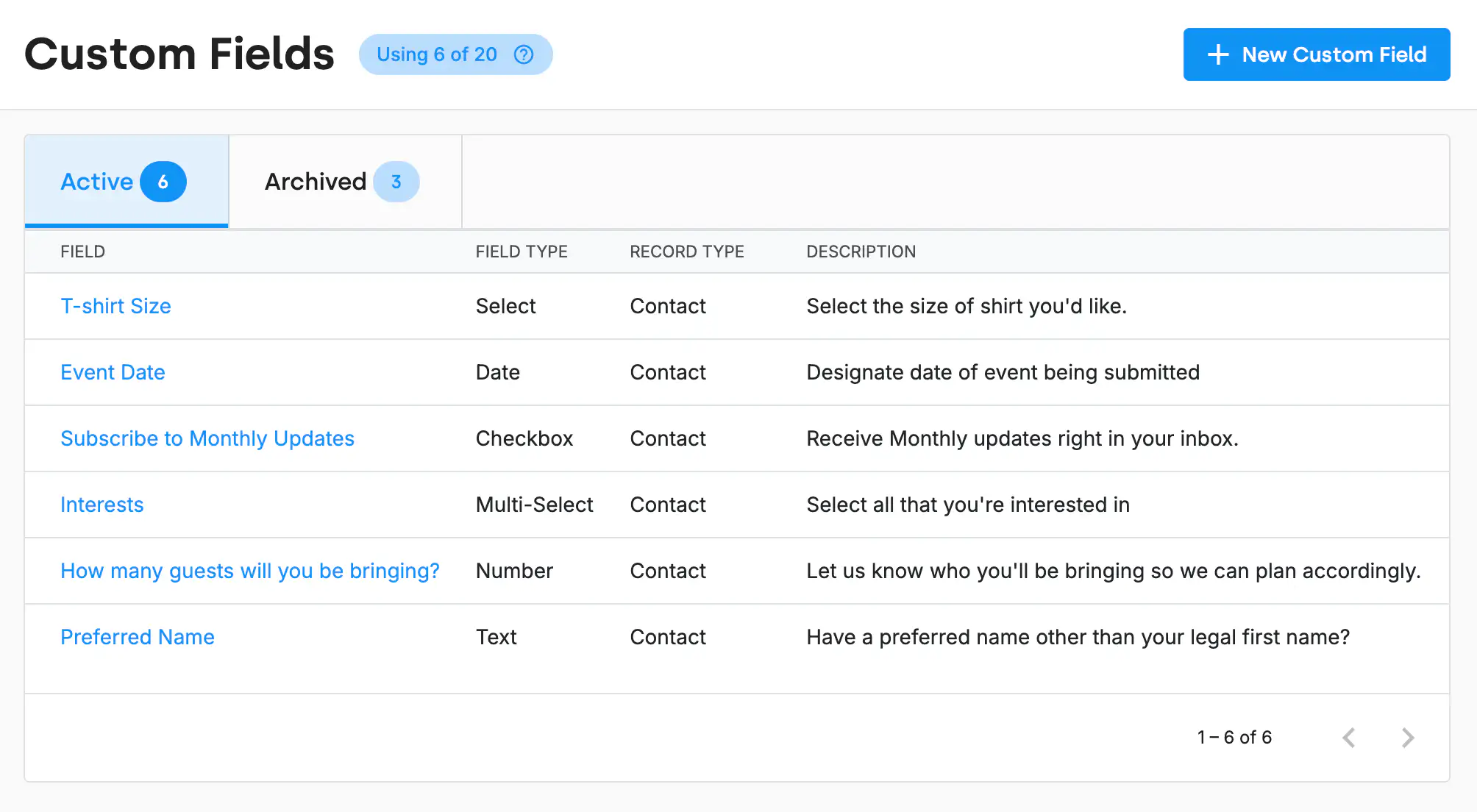
Every nonprofit tracks things differently. DonorDock gives you four types of custom fields so your data lives where it belongs - not crammed into a single catch-all.
Best for long-term information about a donor or contact. Track volunteer interests, communication preferences, program participation, or internal notes. Data is stored directly on the contact record and available for segmentation, filtering, and reporting.
Designed for details about a specific donation or transaction. Track event table assignments, auction item information, sponsorship benefits, or internal payment references. Responses are stored on the gift record for easy lookup.
Capture additional information related to interactions with your contacts. Track follow-up outcomes, volunteer shift types, or internal outreach details across activities.
Built specifically for signup forms. Collect one-time information like event meal selections, volunteer availability, shirt sizes, or survey answers.
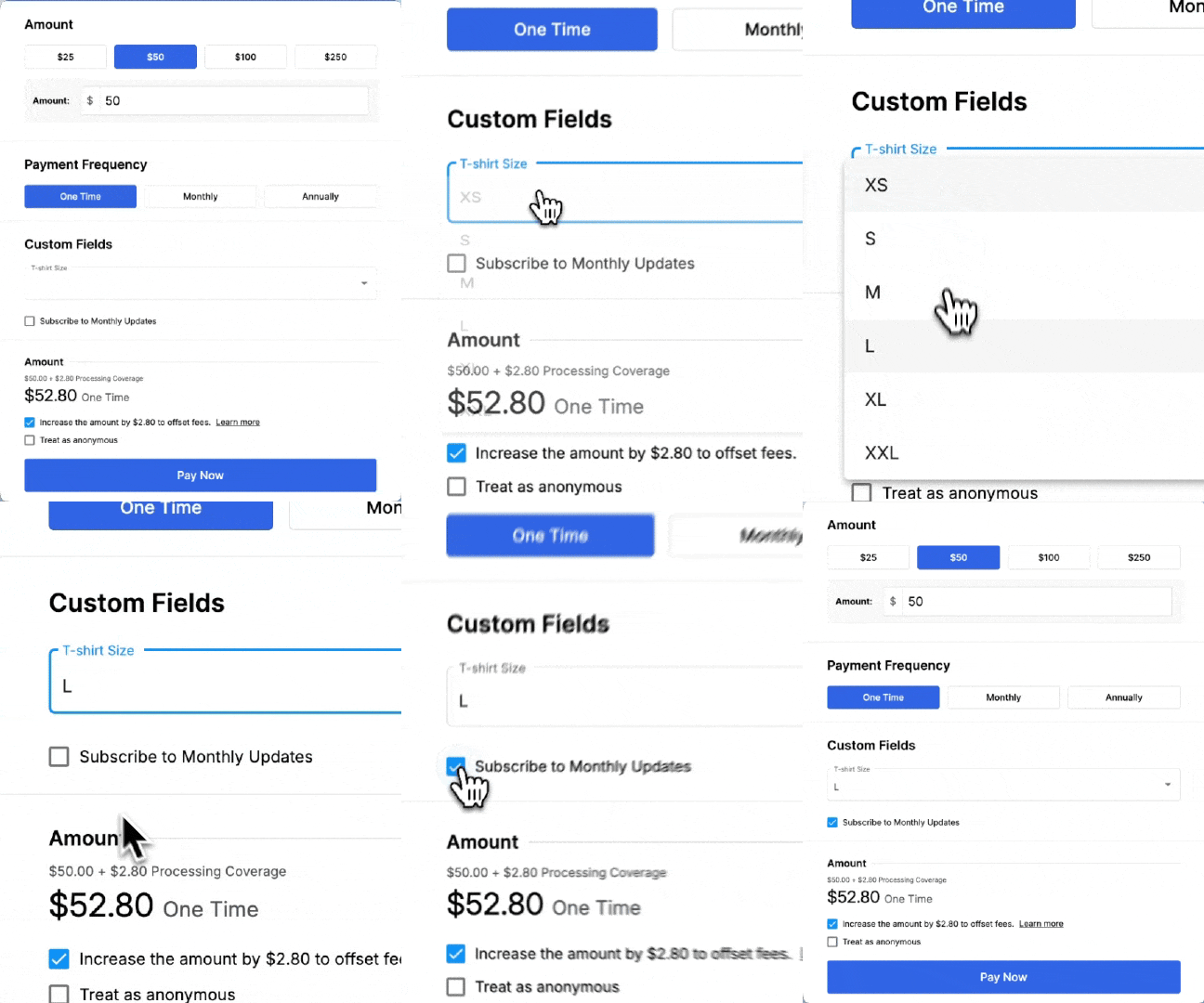
Add custom fields to your giving pages and signup forms to collect information at the moment it matters. T-shirt sizes on event forms, preferred communication methods on signup forms, sponsorship details on gift pages -- data flows right into the correct record type.
Custom fields are fully searchable and filterable across all four types. Segment your database by contact custom fields, pull reports on gift custom fields, review activity outcomes, or export signup form responses. Build the exact views your team needs.
How many custom fields can I create?
You have a large number of custom fields to start with for each use (forms, gifts, activities, contacts), you can always add more to your plan if needed.
Can custom fields appear on giving pages?
Yes. Add custom fields to your online giving pages and forms so donors provide the information at the time of their gift or signup.
What field types are available?
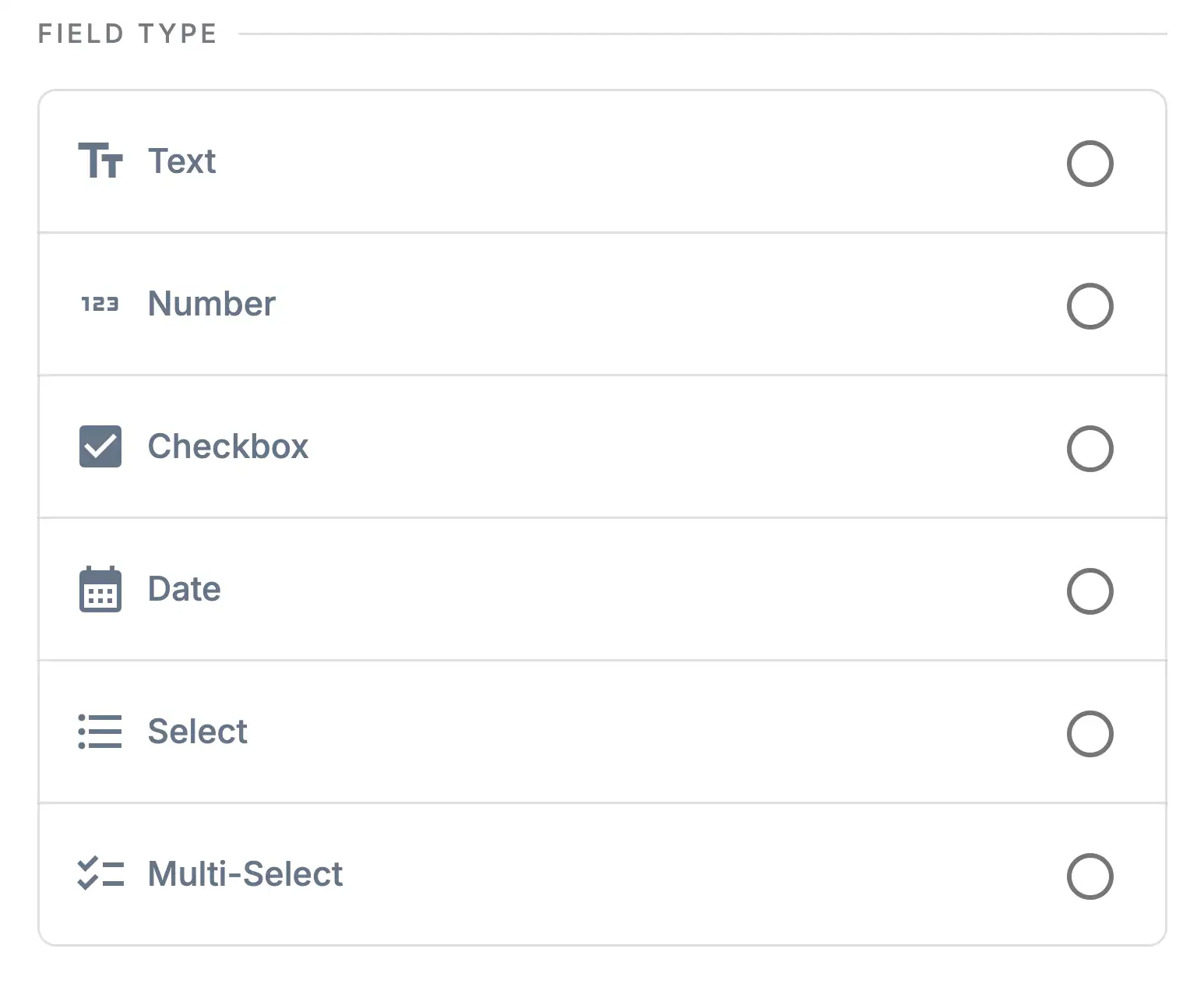
DonorDock supports text, number, date, dropdown, checkbox, and other field types. Choose the format that best fits the data you are collecting.
What are the four types of custom fields?
Contact custom fields (stored on the contact record), Gift custom fields (stored on the gift record), Activity custom fields (stored on the activity record), and Form Response custom fields (stored on the signup form response).
How do I choose the right type?
If the information is about the person long-term, use Contact. If it's about a specific donation, use Gift. If it's about an interaction, use Activity. If it's one-time data from a form, use Form Response.


.webp)