We use cookies to make your experience better. Learn more about how and why.

Campaign Reports: Compare This Year Against Last, Side by Side

Campaign reports

Dollars raised, donor counts, retention, and gift size for any campaign — and up to three campaigns at once.
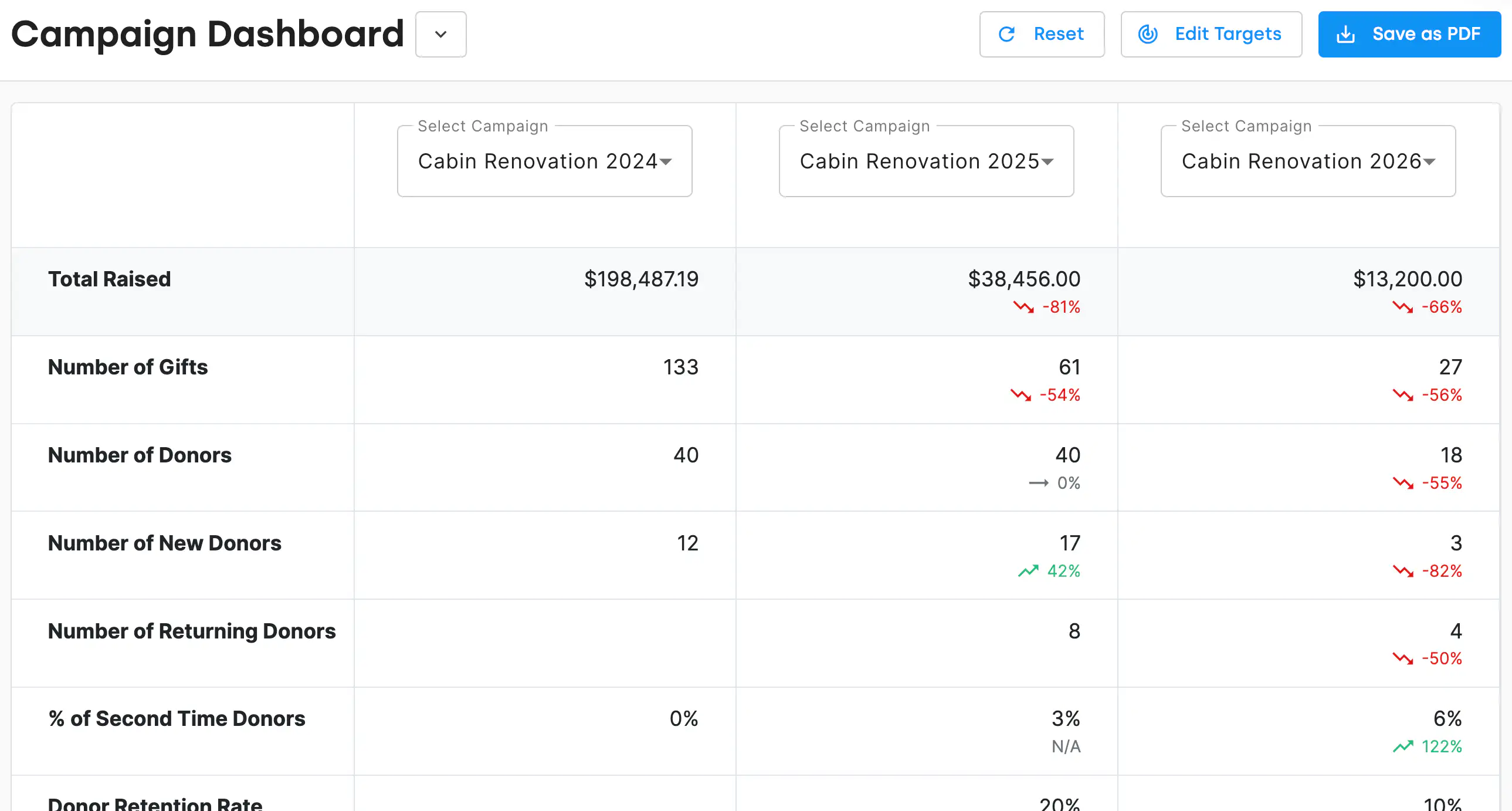
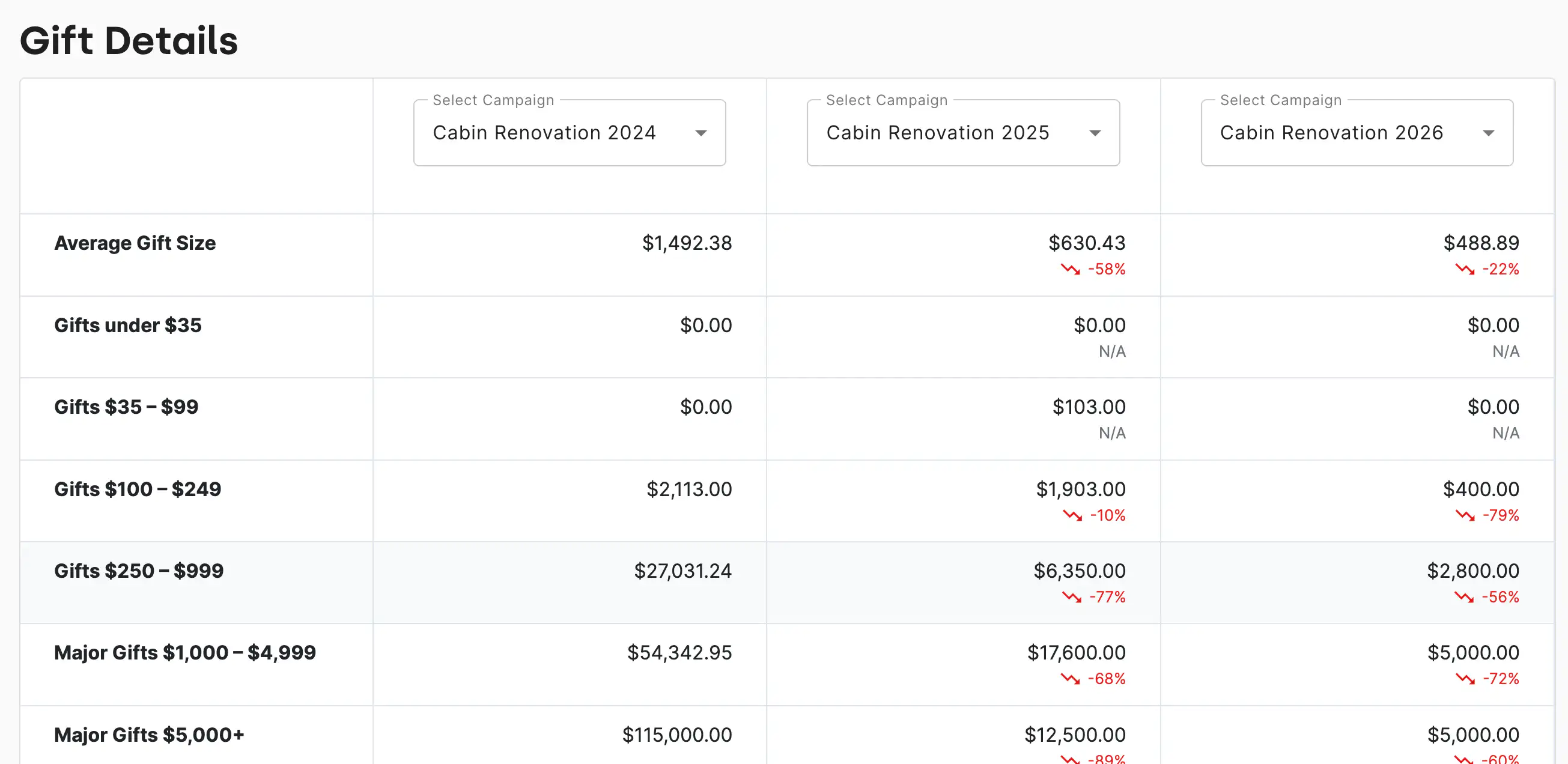
DonorDock's campaign report dashboard puts up to three campaigns next to each other with the percent change already worked out.
The DonorDock campaign report dashboard comparing three years of the same campaign side by side, with total raised, gift counts, donor counts, new and returning donors, second-time donor rate, and retention rate, each showing a green or red percent-change indicator.
The DonorDock dashboard with new donor counts, month-over-month and year-over-year giving, retention rates, LYBNT and SYBNT counts, and a campaign performance panel.

See campaign performance at a glance

The campaign report dashboard shows the numbers a board asks for and the numbers a fundraiser actually uses:

  • Total dollars raised and total gift count
  • Donor counts, split into new and returning
  • Retention rate and second-time donor rate
  • Gift breakdown by size, so you can see whether growth came from more donors or bigger gifts
  • Anonymous gift totals and counts

Visual indicators and percent-change callouts sit next to each figure, so the story is legible without anyone doing arithmetic in the meeting.

Compare up to three campaigns

Put this year's gala against the last two. Or the spring appeal against the fall one. Comparison is the whole point — a campaign total on its own tells you almost nothing, while three of them in a row tells you whether what you changed worked.

Dig into the campaign underneath

Campaign totals roll up from the individual asks. If you want to know which specific solicitation produced the result, that lives in appeal management — a campaign can hold as many appeals as you ran, each with its own channel and its own numbers.

Turn results into the next round of work

Add the donors who gave to a campaign to a contact list so you can follow up on their impact, or create activities in bulk from the report for the calls that should follow a big gift. A campaign report that ends in a follow-up list is worth more than one that ends in a number.

See also campaigns, appeals, and funds and the fundraising dashboard.
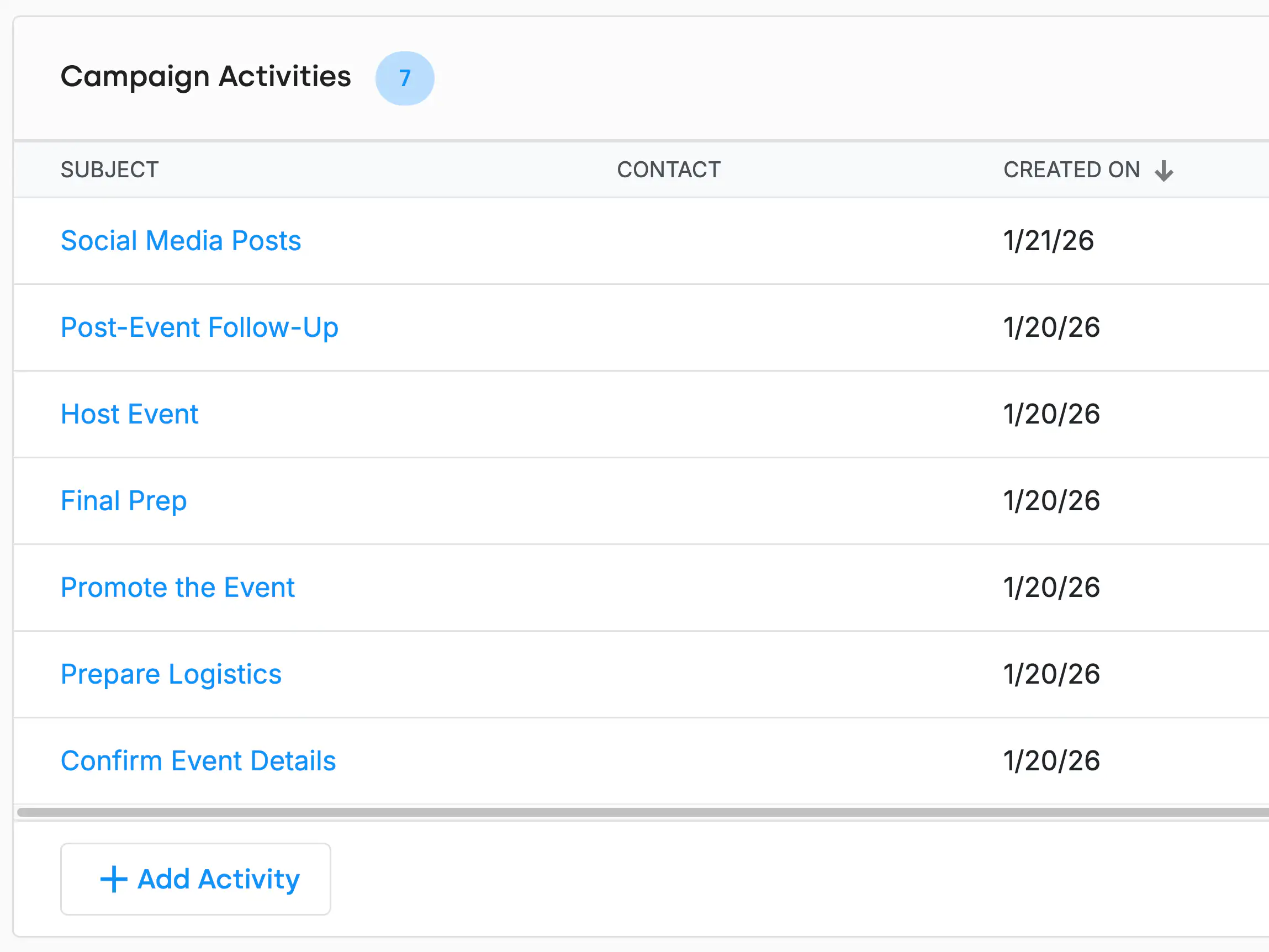
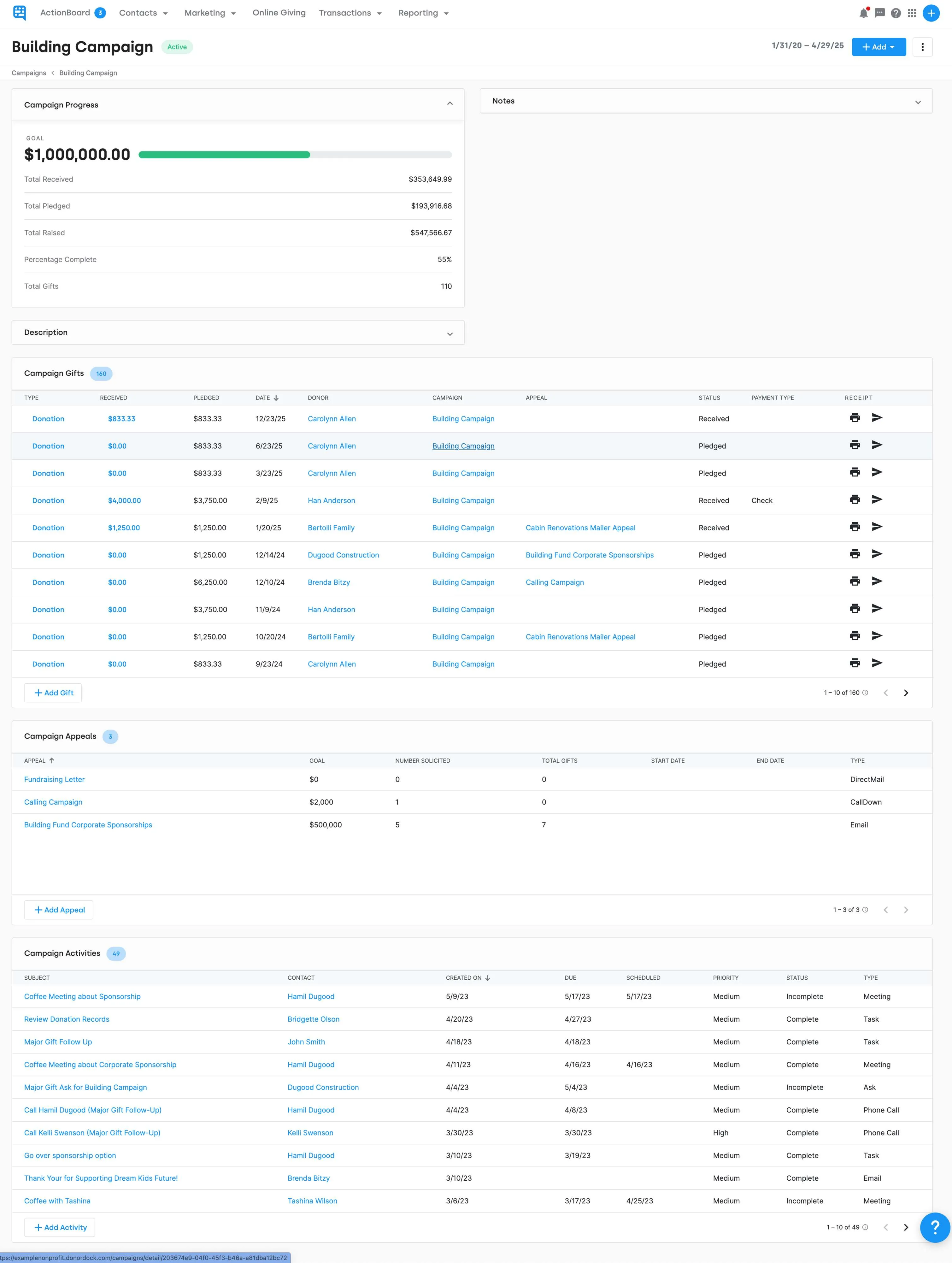
The Campaign Activities panel for a single campaign, listing each activity with its subject, contact, and created date.
The DonorDock dashboard with new donor counts, month-over-month and year-over-year giving, retention rates, LYBNT and SYBNT counts, and a campaign performance panel.

Frequently Asked Questions

Can I compare campaigns against each other?
Yes. The campaign report dashboard compares performance across up to three campaigns at once, with percent-change indicators between them.

What metrics does a campaign report show?
Total dollars raised, gift counts, donor counts, new versus returning donors, retention rate, second-time donor rate, gift breakdown by size, and anonymous gift totals.

Can I share a campaign report with my board?
Yes. The dashboard downloads as a PDF, and detailed campaign reports can be exported to a spreadsheet or saved and shared inside DonorDock.

How do appeals relate to campaign reports?
Appeals sit under campaigns. Campaign reports give you the total; appeal reports tell you which specific ask produced it.

Can I follow up with campaign donors?
Yes. Donors who gave to a campaign can be added to a contact list or given activities in bulk straight from the report.

Can I see whether a campaign grew from new or existing donors?
Yes. New and returning donor counts are broken out, alongside retention and second-time donor rates.

The Campaign Activities panel for a single campaign, listing each activity with its subject, contact, and created date.
The DonorDock dashboard with new donor counts, month-over-month and year-over-year giving, retention rates, LYBNT and SYBNT counts, and a campaign performance panel.
The Campaign Activities panel for a single campaign, listing each activity with its subject, contact, and created date.
User ratingUser ratingUser ratingUser ratingUser rating
G2 rating badge in yellow
Trusted by 7,600+ users

You'll believe it when you see it.

Schedule a demo and see why 7,200+ people trust DonorDock for their CRM.
Integration iconIntegration iconIntegration iconIntegration iconIntegration iconIntegration iconIntegration iconIntegration icon

Get more value from your tools

Connect your tools, connect your teams. With over 100 apps already available in our directory, your team’s favorite tools are just a click away.

Start building meaningful donor relationships today.

Your fundraising in one place.
Donor Dock-Shapes1-06