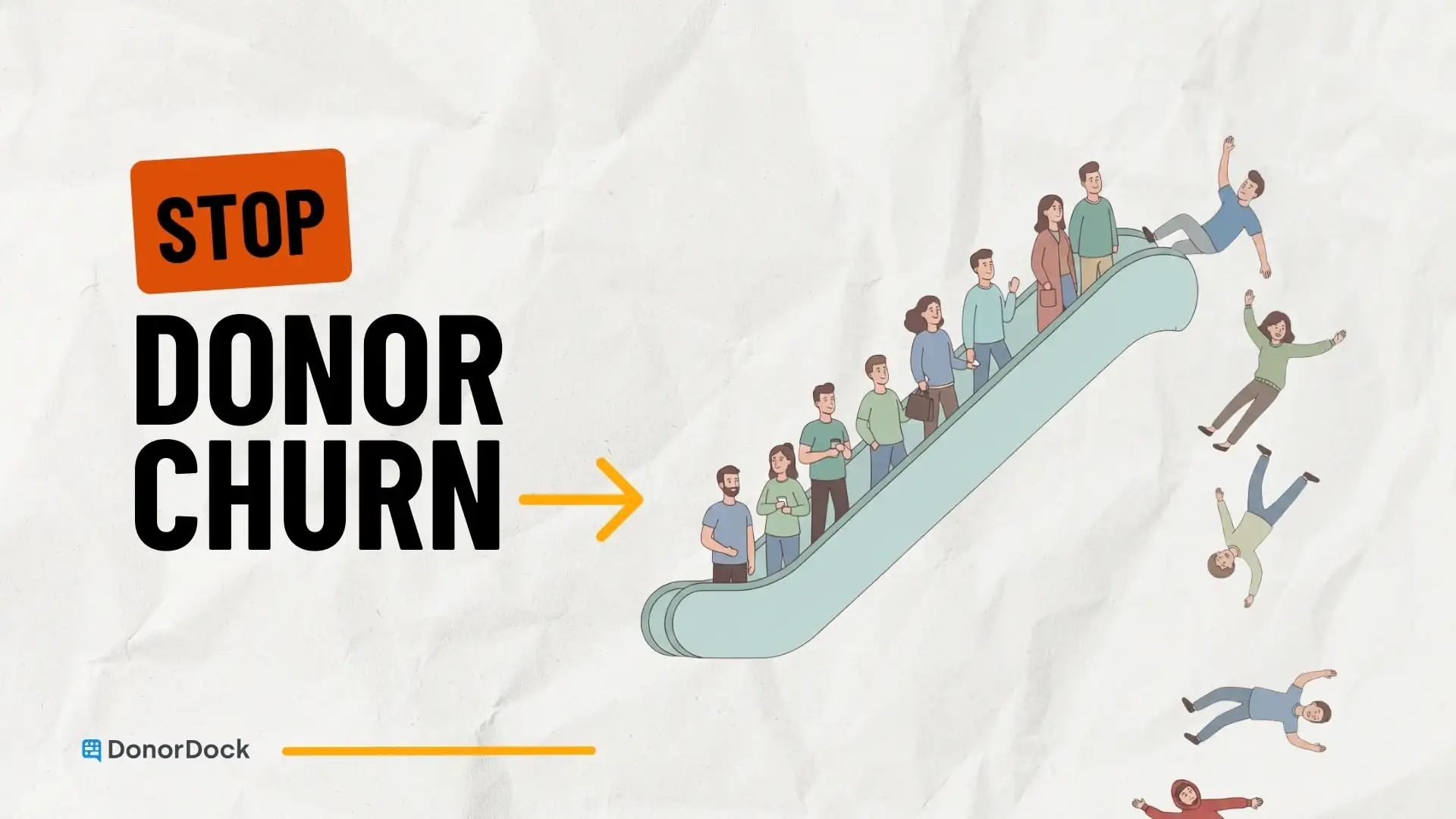
If your fundraising plan depends on replacing last month’s donors with next month’s donors, you’re stuck on a treadmill. You can run hard, hit the numbers, and still feel like you’re losing ground.
That’s the one-time donor carousel: a steady stream of first gifts with no clear path to a second, third, or “we’re in this together” kind of relationship. And for growing fundraising teams, it’s brutal. You don’t have unlimited staff time, unlimited follow-up bandwidth, or unlimited emotional energy.
The fix usually isn’t “get more donors.” It’s building a simple system inside your CRM that makes it easy to follow up, stay personal, and keep donors moving forward.
Why do one-time donors vanish after a first gift?
Because the donor experience usually goes like this:
They give. They get an automated receipt. Maybe a thank-you email that sounds like it was written by a well-meaning committee in 2014. Then… silence.
months later, they hear from you again and it’s an ask.
From the donor’s point of view, that feels transactional. They don’t know what happened because of their gift. They don’t know who you are. They don’t feel connected. They just remember they gave once, and now you’re back in their inbox asking again.
From your point of view, it’s not that you don’t care. It’s that you’re juggling programs, board expectations, reporting, events, emails, thank-you’s, and the constant mental load of “what did I forget?”
Here’s the uncomfortable truth: retention rarely fails because you didn’t try hard enough. It fails because your follow-up isn’t systemized.
So let’s systemize it.
What should your CRM do in the first 60 days after someone gives?
I like to think of the first 60 days as your “relationship on-ramp.”
It’s the window where a first-time donor decides, consciously or subconsciously:
- Do these people notice me?
- Do they use my gift well?
- Do I feel good about being associated with this mission?
- Is this a one-time moment or the start of something?
Your CRM should make that on-ramp easy.
Not by blasting them with 12 emails, but by creating a steady drip of connection that feels human and timely.
A simple cadence looks like this:
- Immediately: warm thank-you and clear confirmation
- Within 7 days: a story or outcome that shows impact
- Within 14 days: a personal touch for the right donors (email, call, note)
- Within 30 days: an invitation into the mission (briefing, tour, volunteer moment, behind-the-scenes update)
- Within 45–60 days: a clear next step (second gift ask or recurring invitation)
You can run that cadence with sticky notes and heroic memory. Or you can let your CRM do the remembering so you can do the relating.
Your CRM shouldn’t be a filing cabinet. It should be a relationship assistant.
How do you build a “New Donor” workflow inside a CRM?
Here’s the part that actually changes your life: you need your CRM to tell you, every week, “These are the people who need love next.”
1) Create a New Donor segment you can trust
Start with a rule-based segment that captures:
- First gift date in the last 0–90 days
- Lifetime gifts = 1
- Not currently recurring
Then add one or two pieces of context that help you personalize quickly:
- How they came in (event, appeal, peer-to-peer, Facebook, board intro)
- What they care about (if you know it)
That’s it. No overengineering. You’re trying to get to a list you can act on.
2) Decide what “success” looks like for a first-time donor
This is where growing fundraising teams get stuck because everything feels important.
So pick one simple definition of conversion, like:
- second gift within 60–90 days
- monthly giving signup within 30–60 days
- attendance at one experience (briefing, tour, Q&A) within 45 days
When you define success, your follow-up becomes clearer.
3) Build 3–5 touchpoints you can actually deliver
I’m begging you: do not build a “perfect” journey you’ll never run.
Build the smallest version you can sustain.
Example touchpoints you can run even on a messy week:
- a real thank-you that sounds like a person wrote it
- one short impact update
- one invitation to engage
- one clear next step
If your team is tiny, you can also set thresholds:
- Gifts under $100 get the baseline cadence
- Gifts $100+ get one personal email
- Gifts $250+ get a call or handwritten note
Or better yet, use a system that allows you to automate, so you can focus on highly personal touchpoints and let your CRM do the standardized touchpoints.
4) Track the few details that make future personalization effortless
If your CRM only stores transactions, you’ll always be scrambling to “personalize” later.
But if you consistently store a few relationship notes, you build momentum.
Track these five things:
- First gift date
- Last meaningful touchpoint (not just a mass email)
- Any stated motivation (“in honor of my mom,” “I care about housing”)
- One preference (email vs phone, likes stories vs numbers)
- Next step scheduled
That’s enough to make your next outreach feel natural instead of forced.
What does this look like in DonorDock with Journeys and Smart Nudges?
Here’s the most practical way to think about DonorDock’s features:
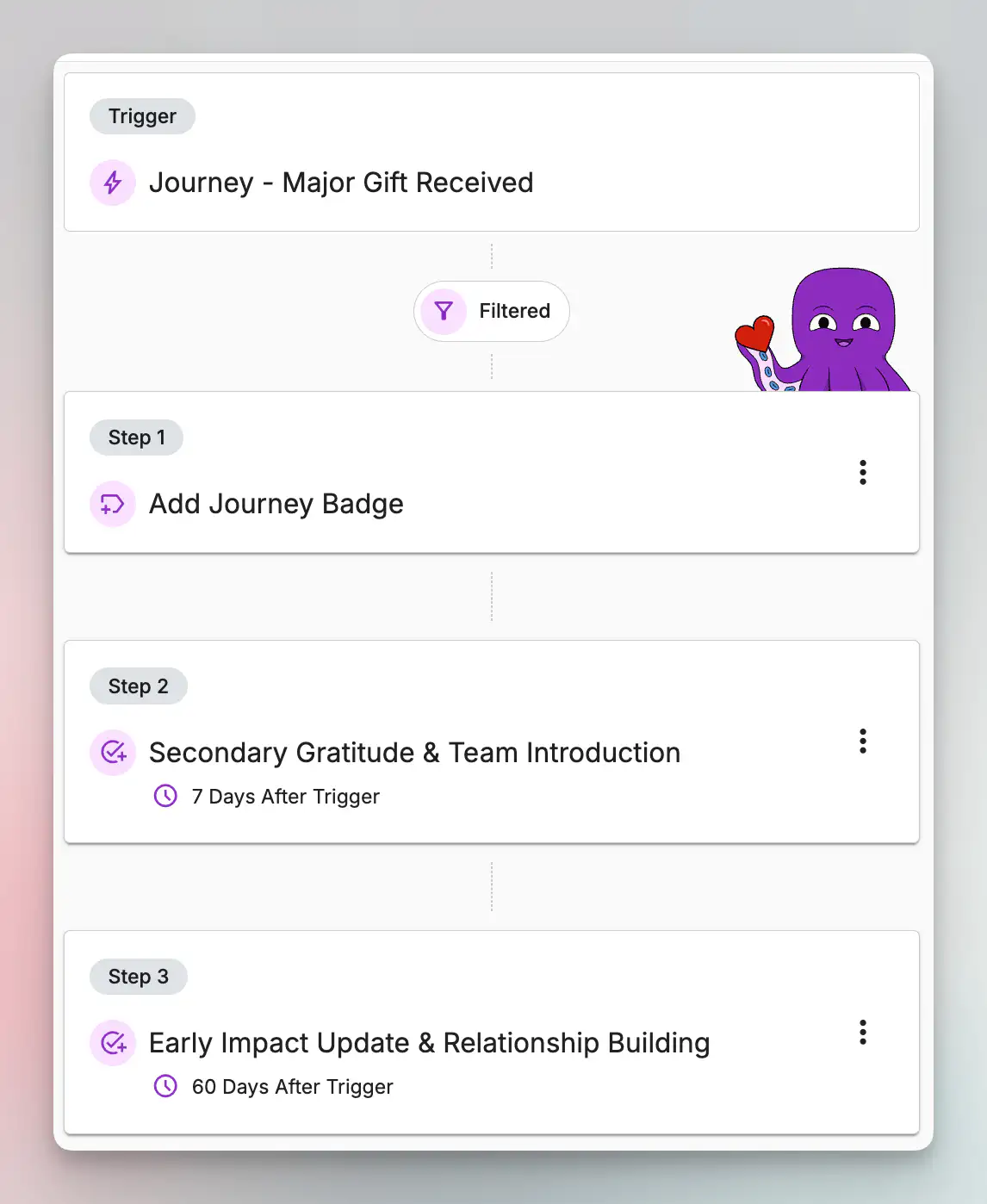
- Journeys help you set up consistent follow-up sequences so supporters, no matter what stage they are at, don’t fall through the cracks.
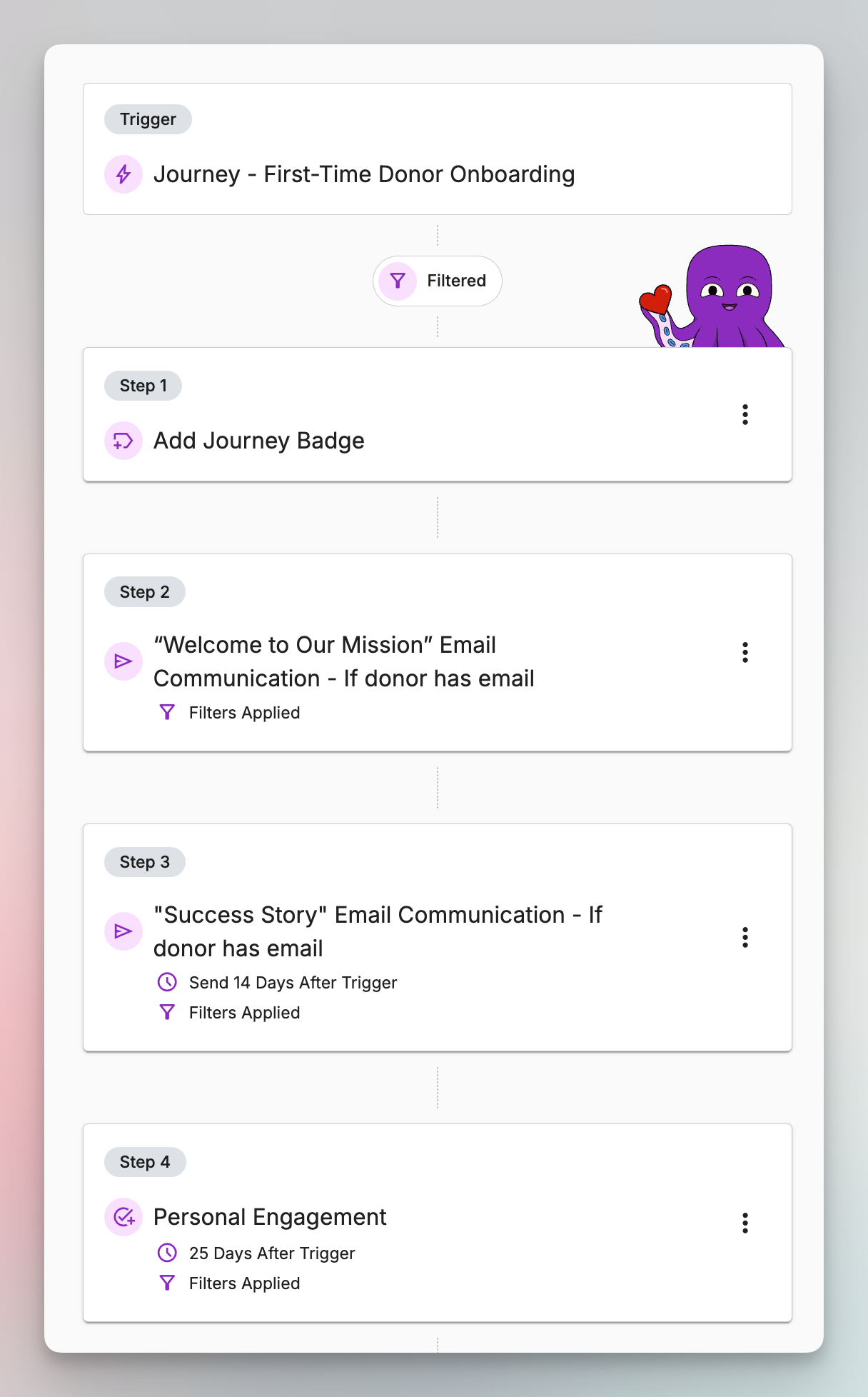
- Smart Nudges help you see who needs human attention today, so you’re not guessing or relying on memory.
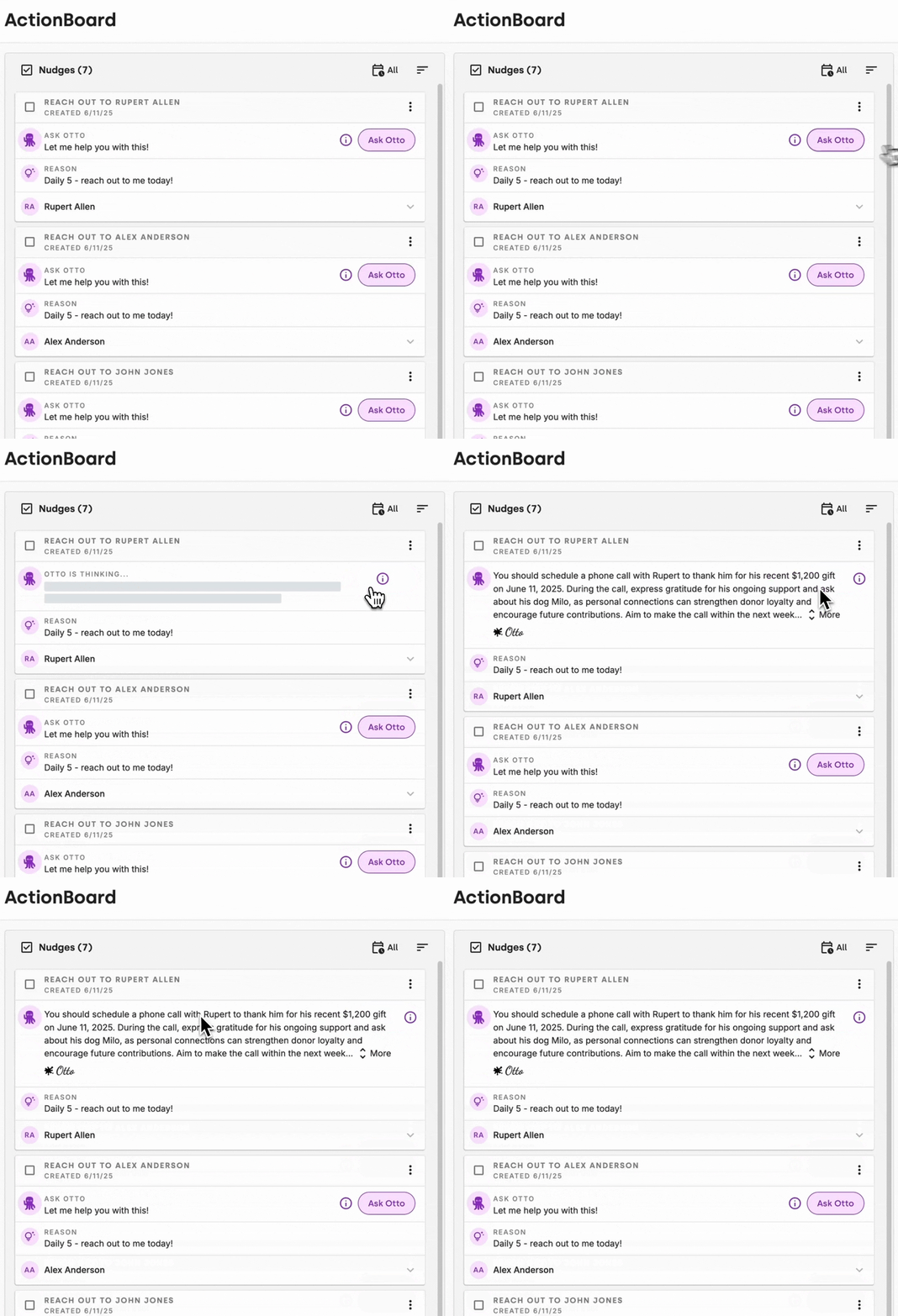
Now let’s turn that into a real-life use case.
Use case: A donor gives online on a Tuesday night
Someone donates at 9:47 PM. You’re not online. You’re not going to see it until tomorrow. And even if you do see it tomorrow, tomorrow is already booked.
This is where a Journey helps.
Step 1: Immediate confirmation and warmth
The donor gets a thank-you message right away that feels personal and clear.
Not a novel. Just something that reassures them: “You mattered. We saw you.”
Step 2: The Journey schedules the next touchpoint
A week later, they receive a quick impact story. Something specific enough that they can picture it.
Then the system sets up the next moment, like an invitation or an update.
Step 3: Smart Nudges prompt the human touches
This is the piece you need most.
Instead of you thinking, “I should email new donors,” you get a nudge like:
- “Reach out to these first-time donors who gave above your threshold”
- “This donor engaged recently and is ready for a next step”
- “This donor hasn’t had a personal touch lately”
That’s the difference between good intentions and smart stewardship.
Journeys keep the cadence.
Smart Nudges keep you human.
What should you actually say and do when the CRM prompts you?
Let’s make this concrete. Here are “ready-to-use” actions that fit inside a CRM workflow.
The 2-minute personal email
When your CRM nudges you to reach out, your email doesn’t need to be brilliant. It needs to be real.
- Subject: Thank you
- “Hi [Name], I saw your gift come through and wanted to thank you personally. It helps [specific outcome]. If you don’t mind me asking, what inspired you to give?”
That last question is sneaky powerful. It turns a thank-you into a conversation starter. And it gives you data you can record in their profile so future outreach is easier.
You can even set up email templates use as a starting point in DonorDock.
The 5-minute phone call
If you’re calling, keep it simple:
- “I’m not calling to ask for anything.”
- “I just wanted to say thank you and let you know we noticed.”
- “Can I tell you one quick story about what your gift is helping with?”
Then stop talking. Let them respond. Donors don’t need a pitch. They need connection. This is especially true for major donors. Your major donor journey should be all human touchpoints.
The “soft invitation” that doesn’t feel like an event ask
Not every donor wants a gala. Most donors do want to feel closer to the mission though.
Try inviting them to something small:
- a 20-minute virtual briefing
- a tour
- a behind-the-scenes email series
- a volunteer moment with a clear start and end time
Your CRM can schedule these invites as part of a Journey, and your nudges can remind you who to personally encourage to attend.
And over time, this changes your fundraising posture. You move from “We need more donors” to “We’re building donors who stay.”
Conclusion: Build the system once, then let it run
You can’t manually hold every donor relationship in your head. And you shouldn’t have to.
Your CRM should make retention easier by:
- automatically grouping donors into a clear segments
- running a simple, consistent follow-up cadence based on their segment
- prompting the human moments that build trust
- making next steps visible so you’re not reinventing the wheel
That’s what focused fundraising looks like in real life.
If you want a CRM that makes this kind of follow-up easier to implement without adding complexity, DonorDock’s Journeys and Smart Nudges are designed to do exactly that.